DIY Upgrades for the Casio DG-20 Synth Guitar

For some reason I have been very interested in synth and MIDI guitars lately.

That may have to do with the fact that I’m actually building one! The MIDISteel … but that’s another post.

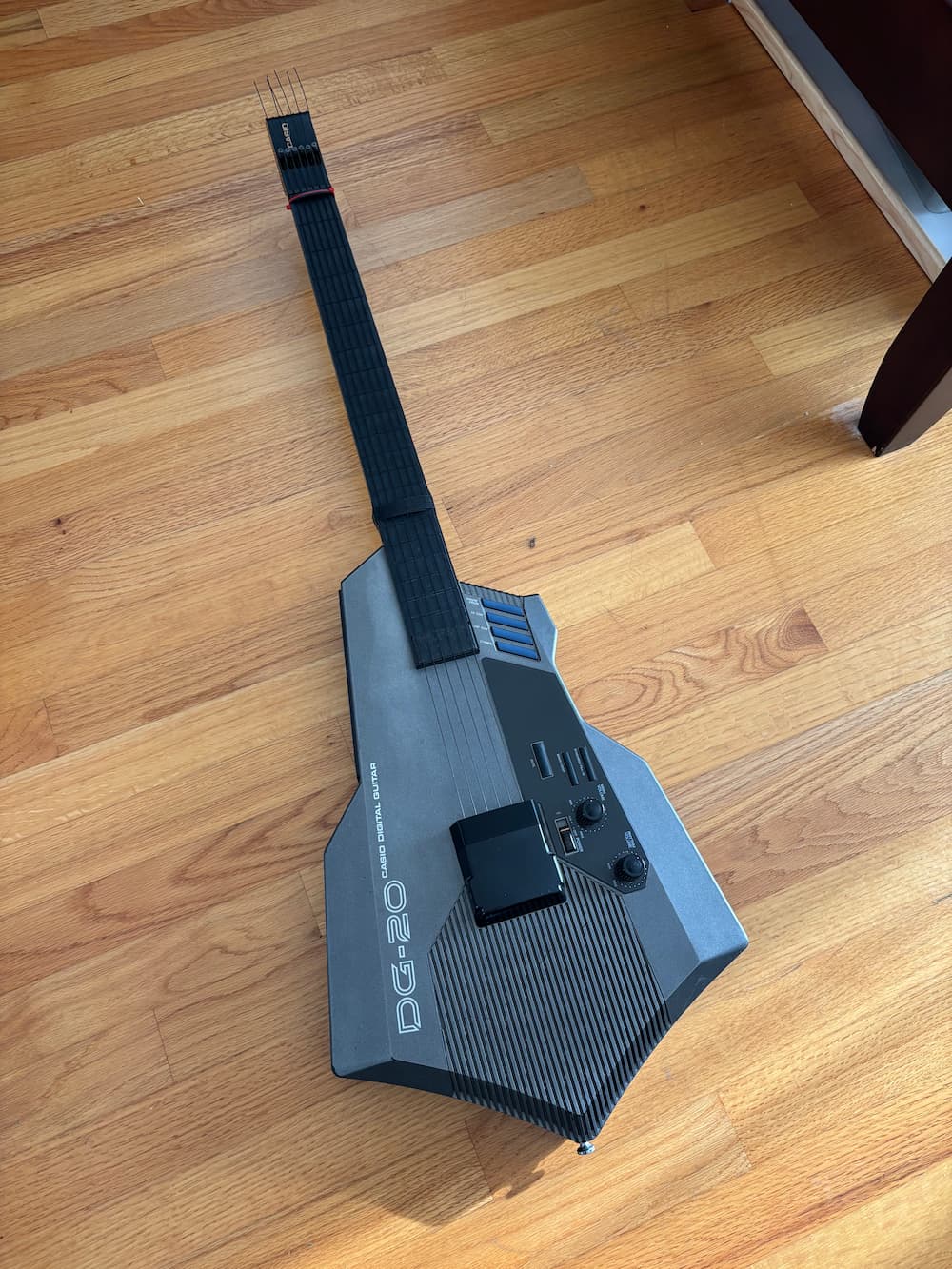
The grandaddy of synth guitars is the Casio DG-20 which came out in 1987. And while indulging in my bad habit of browsing FB marketplace, I scored one. The owner lived a couple of blocks away, so… I had to, I guess?

It features 20 built-in presets ranging from classic 80s synths, brass, and organs to traditional acoustic instruments. It has a drum machine built in, and a hilarious set of drum trigger pads that are basically impossible to use while playing. It also features a 5-pin MIDI out so the possibilities really explode when you hook it up to other synths or a computer. This is great because the built-in sounds are just kind of… OK. That’s being generous.
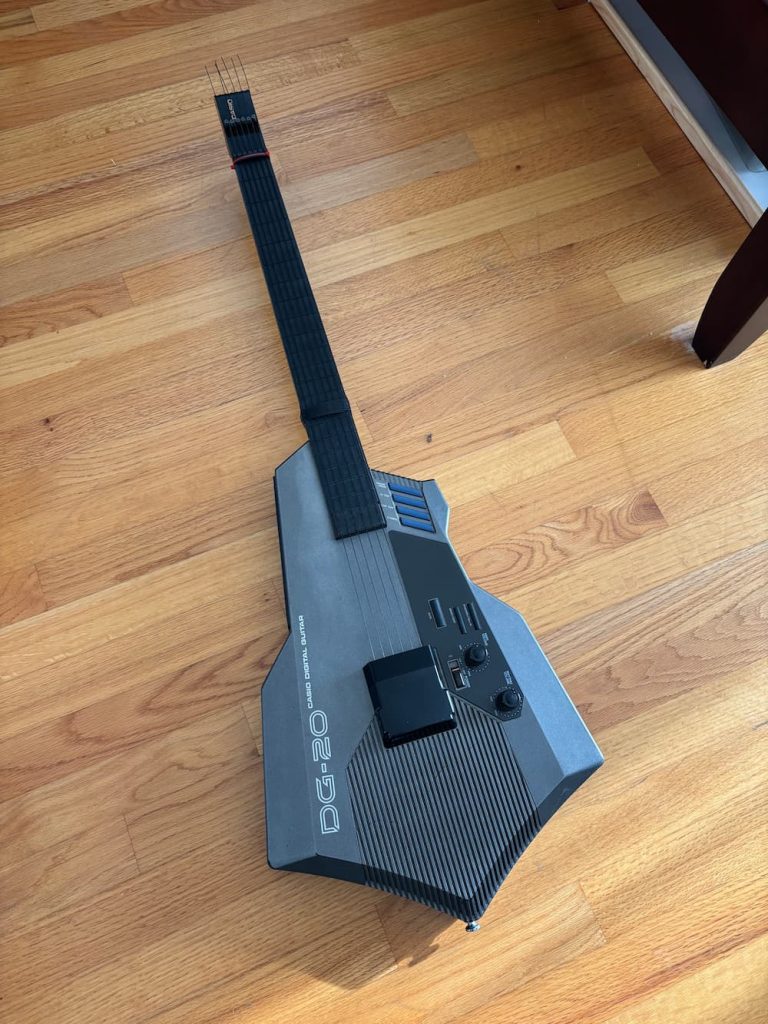
Eat cyber-axe, unsuspecting audience

Hardware wise, this thing is bulky, clunky, and pointy. It is clumsy at tracking softer string plucks. It has floppy nylon strings that are a pain in the ass to tighten (requires a not-included hex wrench). It runs on thick D-Cell batteries. It doesn’t really like being hung by its headstock or even sitting comfortably on a guitar stand. In short: it’s a hostile assault on the guitar as you know it. But… I kind of love it anyway?

Well maybe not as much as I love my Suzuki Unisynth (yes, I also own this, I have problems). The Unisynth is way simpler, lighter and whose more primitive onboard synth is much more pleasing to my 8-bit era ears. It’s also pretty not-guitar-ish, but at least it feels less serious about what its trying to be.
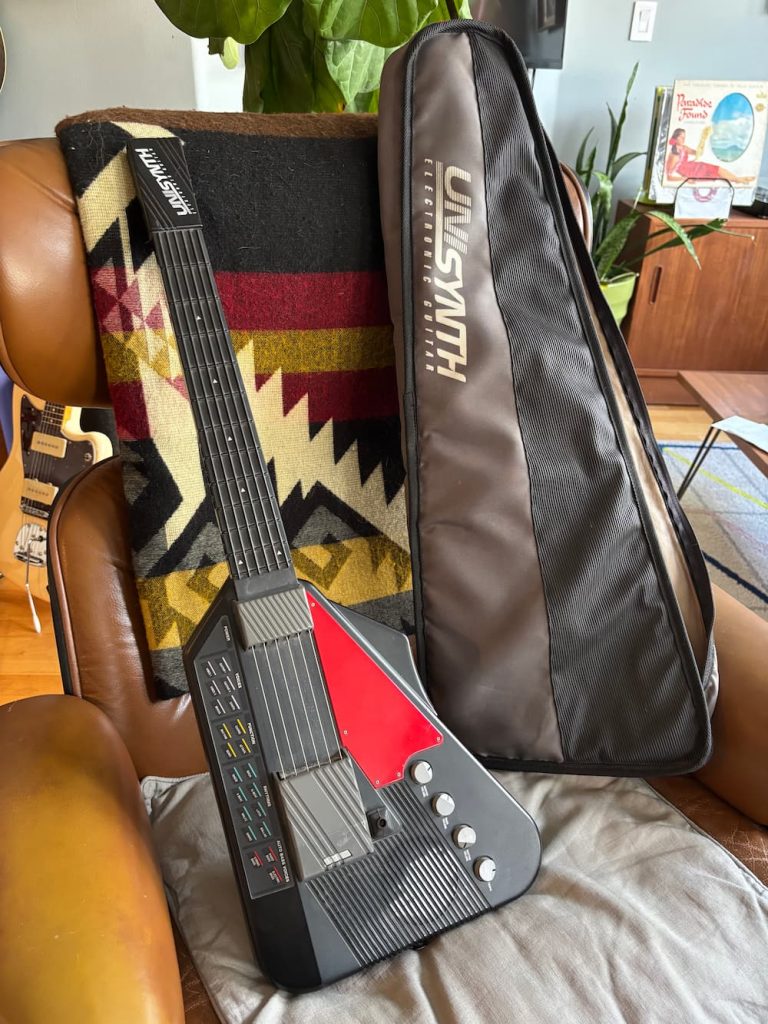
The Suzuku Unisynth XG-1, a delightful thing, in comparison. Maybe I should start a digi-guitar museum

But I digress, we’re here to talk about the DG-20! That Flight of the Conchords-famous, mean hunk of grey plastic sure to make any ’80s 15-year-old scream “radical, dude!”. And there’s a few things it does well over the XG-1: it can do hammer-ons and pull offs. MIDI. More frets. I guess you could argue that it feels more like a guitar, too.

Missing string cover

Almost all of the DG-20s I’ve seen for sale are missing this piece that covers part of the bridge. As far as I can tell its purely cosmetic, but the completionism in me wanted to restore it all the same.

I didn’t have one in front of me to inspect, but eyeballing some pictures online, I modeled one up in CAD and 3D printed a replacement part. Amazingly I nailed the curvature on first try. However, it took a couple of tries to get the mounting tab fit right.

You can download my model on Printables
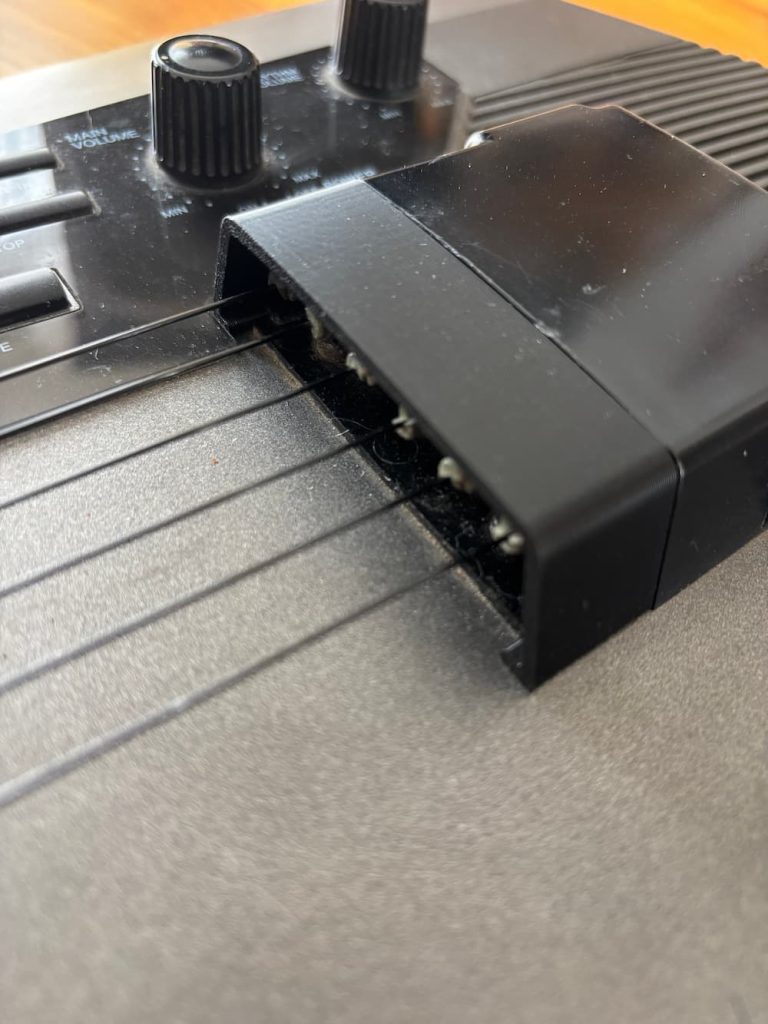
Replacement string cover for DG-20

Of course, shortly after making it I saw another one created by @GoldELux_544357 (Printables’ search missed it for some reason). That one was more complete and includes the larger part if you’re missing it. For this and more DG-20 related parts, head to their profile.

Ready for some action (adjustment)

The next matter with the DG-20 was the action was insanely high. Like Freddie Green high. Even with the looser strings, it was not at all enjoyable to play. Turns out over a few a decades, a long narrow piece of plastic under 6-strings worth of tension is prone to warping. Who knew? Not Casio.

I puzzled over how to address this. Could I install a truss rod? I took it apart to see. No, not easily. The neck is basically a hollowed out tube with no direct access to the back of it so I’d have to take apart the fretboard to get in there which seems fragile. I guess I could chance getting laughed at by taking it to a luthier at Gryphon Strings for a “neck reset”. But the fitted bolting mechanism of the neck made this difficult without some serious hacking away at the plastic.

Some online forums suggested simply taping down the strings where the neck meets the body to lower them. This works because the pluck sensor doesn’t really use the string length to determine the pitch. The fretboard is really just individual buttons under the rubber fretboard and the strings there are really just for tactile feedback.

Anyway, I found taping the strings to be a little inconsistent and sloppy, but finally landed on one of those velcro cable ties. Works great and is easier to adjust. Also, the material allows the strings to slide around underneath without getting stuck. I added a couple of extra pieces in the middle to give some added pressure down on the middle strings to account for the bowed curvature of the strip when attached.
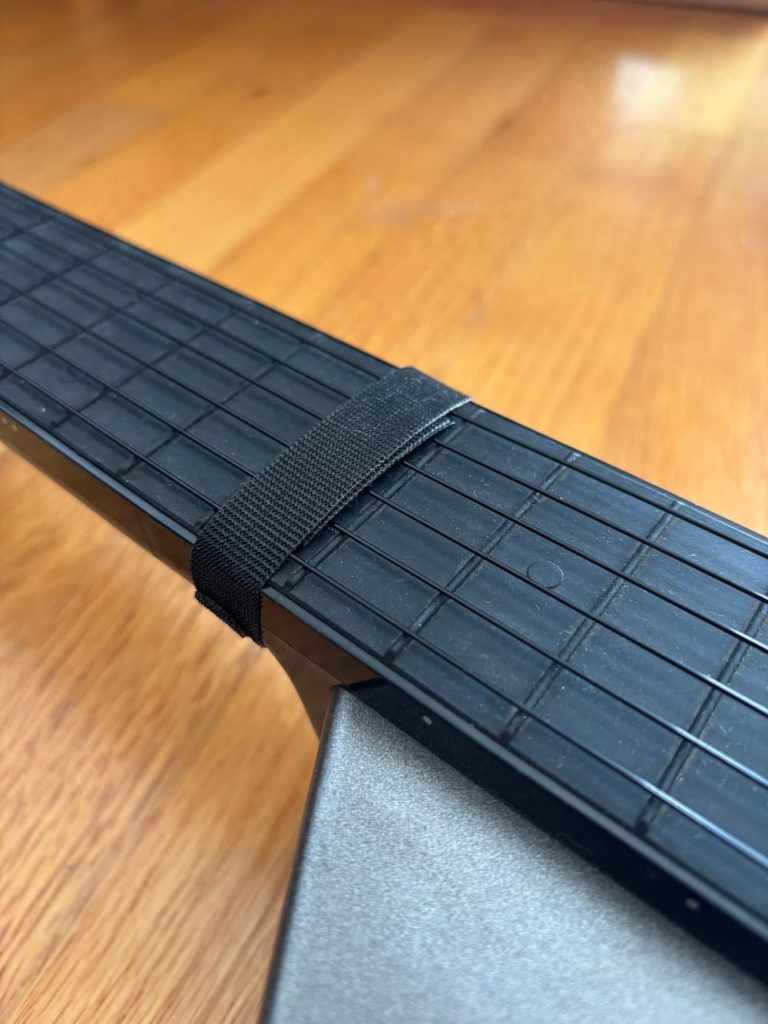
Velcro cable tie strip around the 15th fret to lower the action.

I can actually still fret the 15th-fret note by pressing on the velcro which is kinda clunky, but I don’t play up there very often.

I still found the action to be unpleasant and thought that the action at the nut was also inherently too high. While watching a video of Billy Strings absolutely ripping on one of these guitars… oh let’s just see that while we’re at it:

He seems to have a zip tie around the nut to lower it some more. I added that myself, and 3D-printed a little piece to go under the zip tie to apply even pressure.
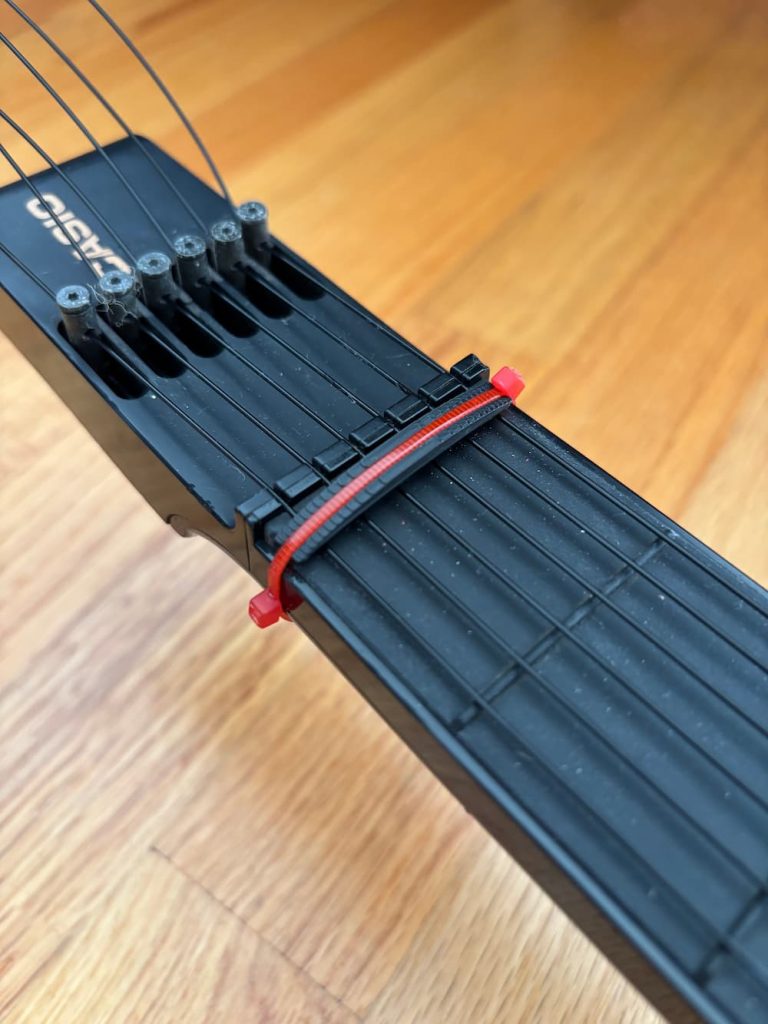
Ziptie with 3d-printed block to lower strings even more at the nut.

That solved the action issue, more or less. Much more playable overall. The model is also available on Printables, and requires a couple of 2.75mm zip ties to install. You can probably rig up something similar, maybe the velcro works here too.

By the way, the Suzuki Unisynth gets around this nonsense by not having strings over the fretboard at all, and including horizontal string-like texture on the rubber fretboard itself, I think it’s superior to these floppy things. Maybe another improvement could be to somehow add this texture to the original fretboard, and forgo the strings altogether. But you’d need to figure out how to keep strings over the body for the pluck sensor.

Oh, what the hell: USB-C charging

These guitars are really no fun to play if you have to plug them in, but D-Cell batteries are heavy, expensive, and less-common in rechargeable variants. They also discharge and leak horrible acid when left in too long.

I thought I’d take advantage of modern LiPo battery tech. There was plenty of space in the battery cavity for a couple of ubiquitous 18650 LiPo cells. All I had to do was connect a charging + boost module to them and step them up to the operating voltage of 9V. I happened to have these components from another abandoned project; I have no shortage of those.

The module is based on the TP4056 chip and has a built-in buck converter to step up the battery voltage to an adjustable amount up to 28V. It’s available here very cheaply along with some handy 18650 battery housings: https://amzn.to/4xYoo9w (affiliate link). For the cells, I got these: https://amzn.to/44JW0KF
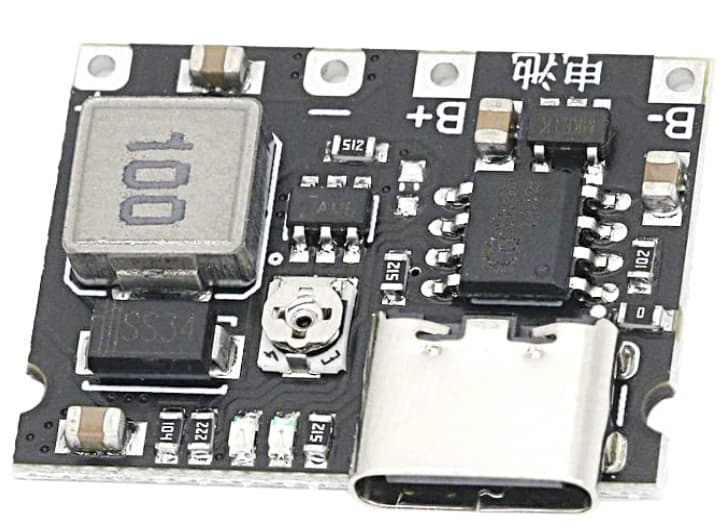
Looks intimidating, but it’s pretty simple to wire up. While it’s possible to do this with one 18650 cell, I’m wiring the two cells in parallel for extra capacity, so both the red wires of the battery housings go into B+, and the black ones go to B-.

Once you have the batteries attached, charge them up via USB. The LED will start red, and turn blue once they are done. This can take a few hours. Then you can wrap the batteries together into a pack with electrical tape or hot glue. Note that you shoud NOT COVER THE CHARGE BOARD WITH TAPE. It gets hot needs ventilation for cooling.

While it’s charging, let’s adjust the voltage. Attach a multimeter to the unsoldered V- and V+ terminals. This is our output voltage. Measure the voltage coming out of the board and adjust the small screw in the middle of the board counter-clockwise until it reads about 9V. You may have to turn it over 10 times.

For attaching the board’s remaining V+ and V- output to the device, I opted to make the battery detachable, so I wired a male barrel connector. Red cables always go to + and black to -. I soldered the female connector to the negative and positive terminals of the battery compartment, which were also color-coded.
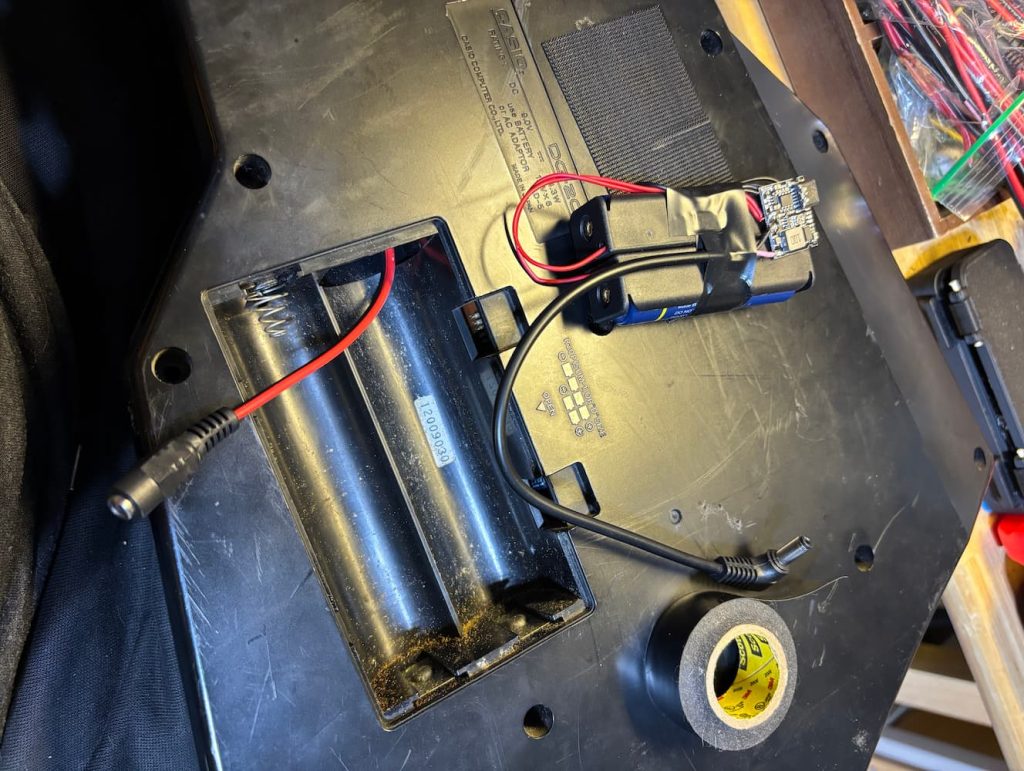
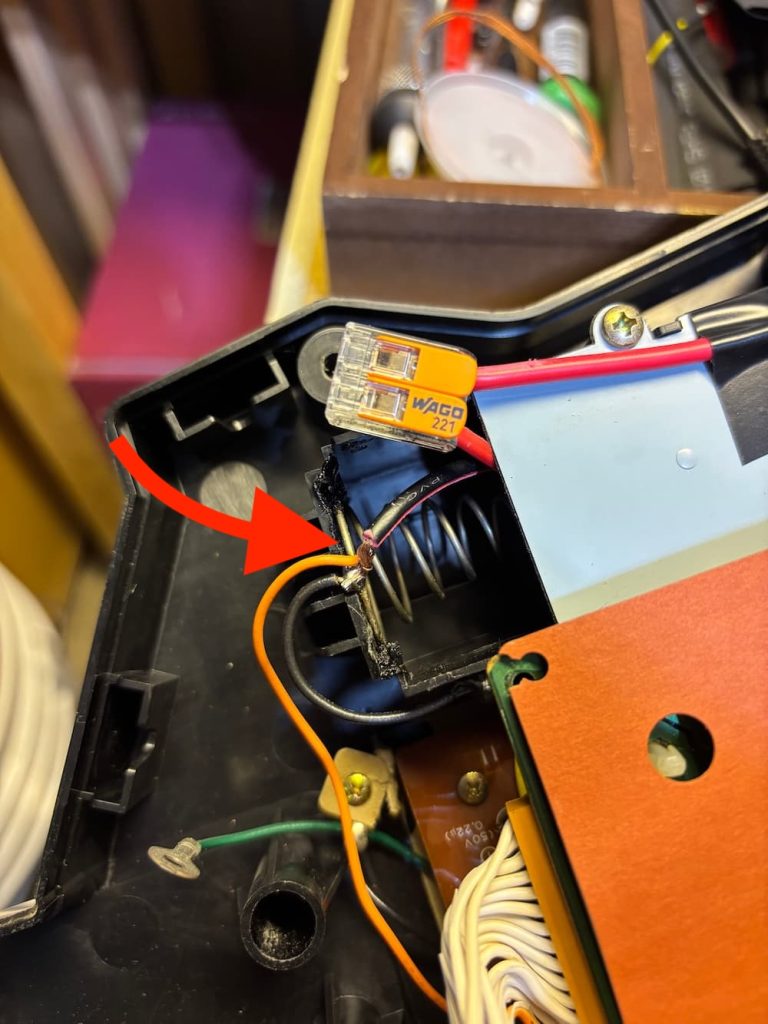
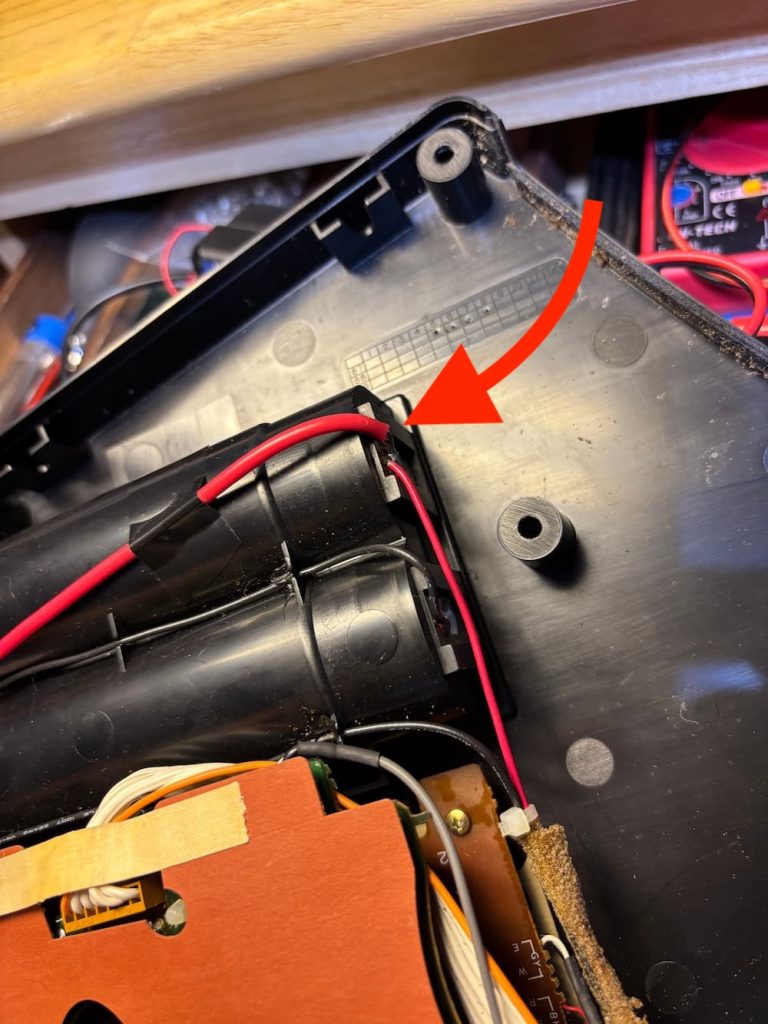
Barrel connectors soldered internally to the positive and negative leads of the battery compartment and to to the battery charging module.

With the wiring done, I put the whole thing back together, and the battery just fits inside. I shielded the DG-20’s old battery contacts with electrical tape to prevent shorts.
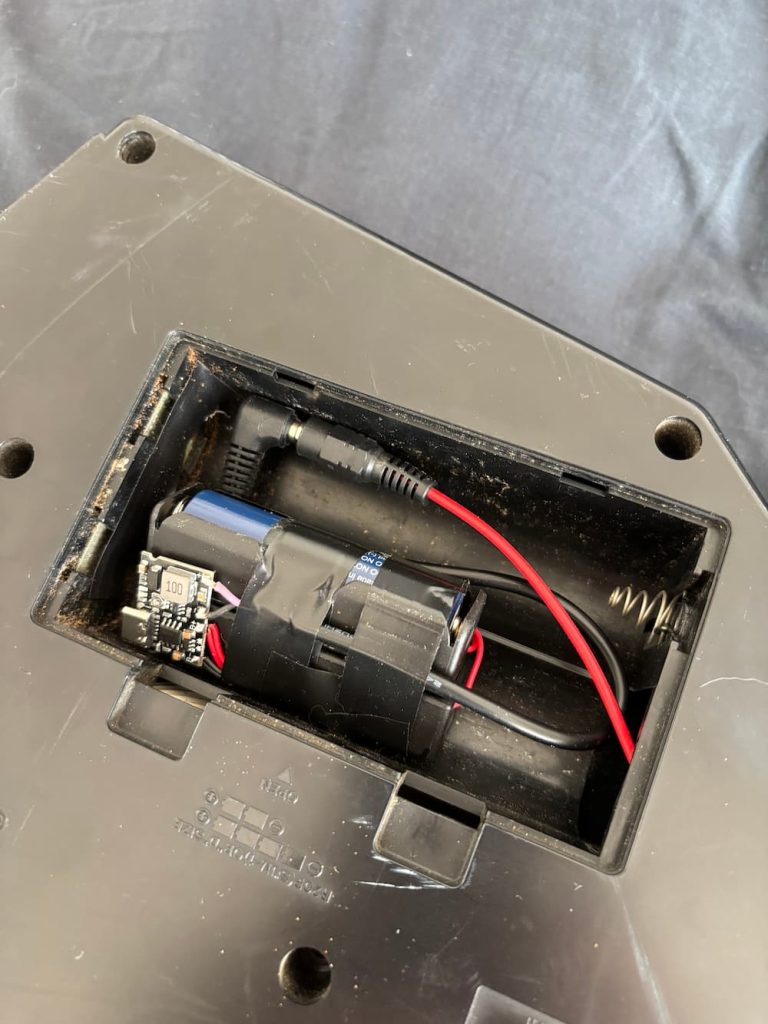
The cool thing is you can use this technique to power any kind of older battery-operated device, so I went ahead and did it to the Unisynth as well.

Not as much space in Unisynth’s C-cell sized battery compartment, so I did not bother to make the battery detachable; I just wired it directly. One hiccup is that I had to add a 10-ohm 5W current-limiting resistor in series with the battery negative to the device, since I discovered the initial current surge triggers the module’s protection circuit (if you encounter this, easy fix: plugging it into USB resets the protection). The additional resistor solved that issue.
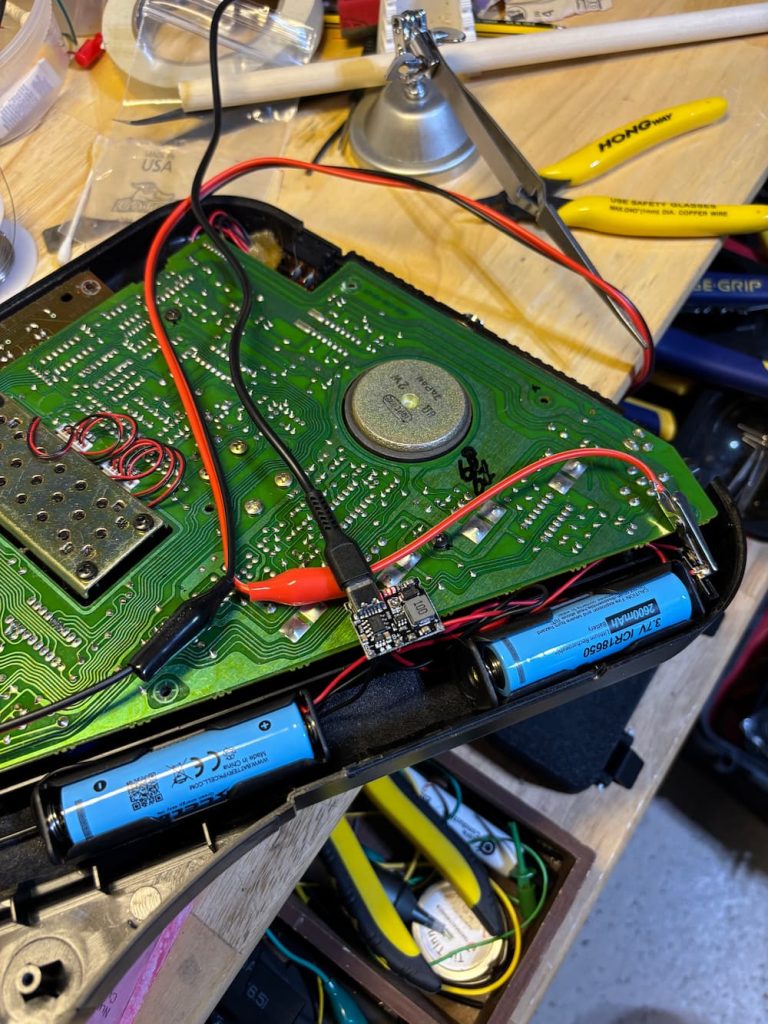
USB-C charging installed to the Suzuki Unisynth. The port is accessible externally through the battery door.

Sonicake Pocket Master: NAM models, effects and acoustic guitar IR on the cheap

I’ve brought up IR tech for acoustic guitarists and NAM amp modeling and a lot has changed since then!

I used to think you had to buy an expensive pedal like the Fishman Aura, Nux Optima Air, or Tonedexter for acoustic IRs. There are pricey solutions for loading NAM amp profiles, such as the Dimehead NAM player.

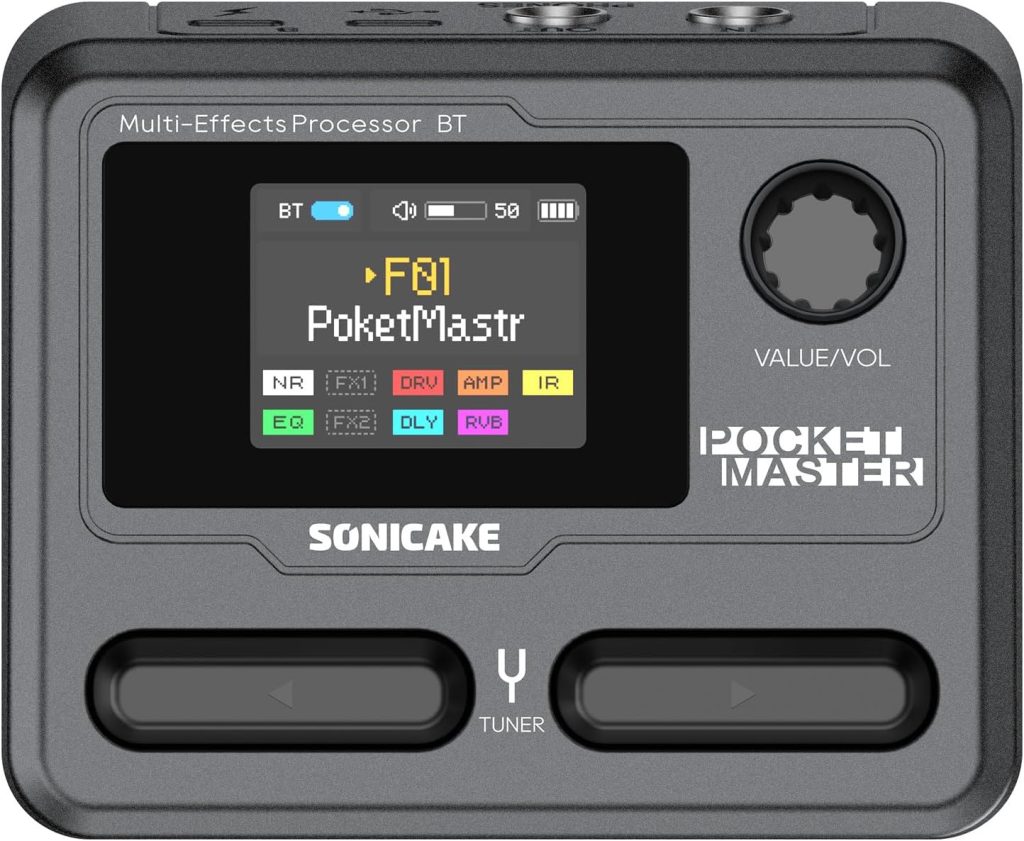
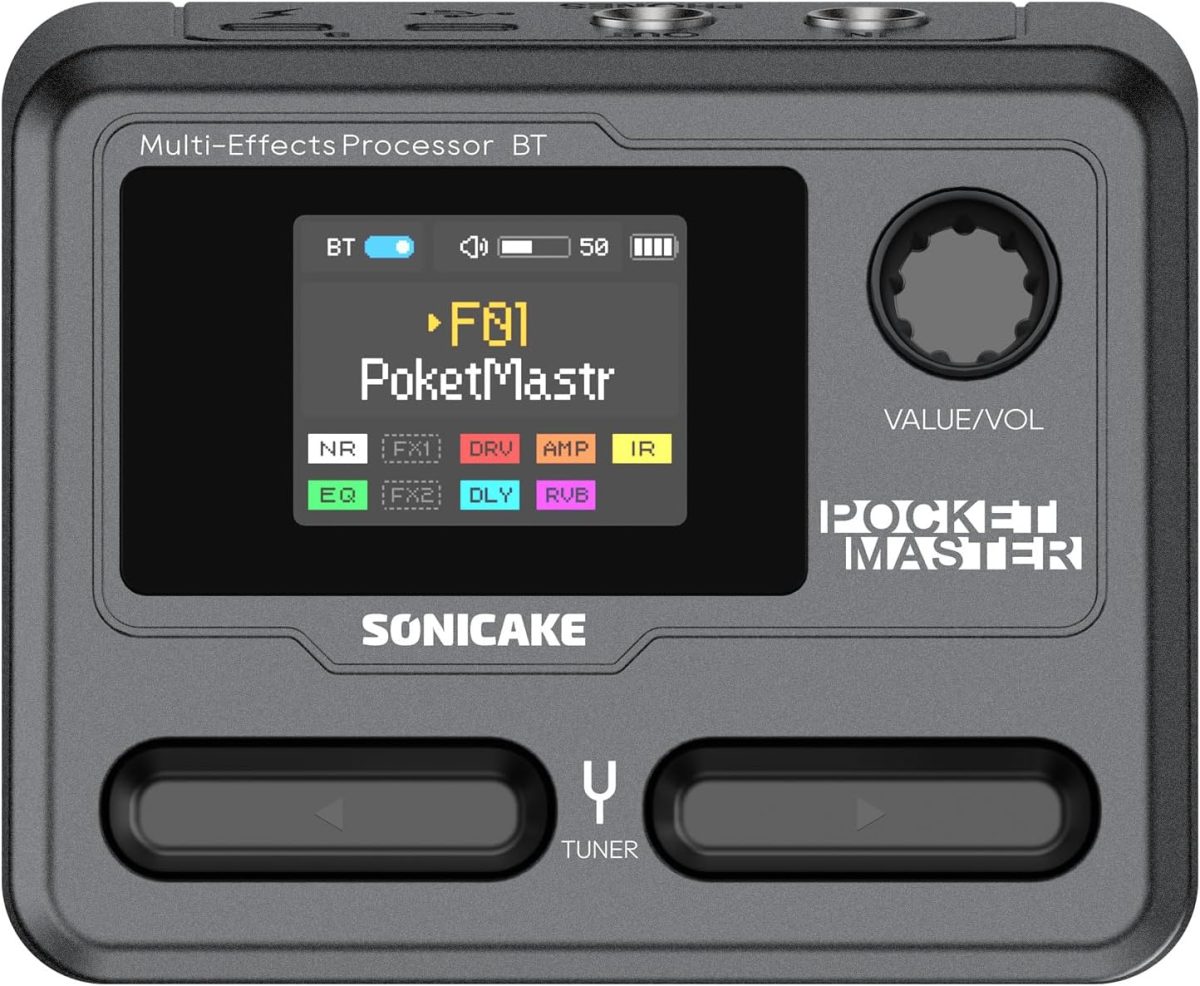
But this tech is starting to make its way into low-cost devices from China. Two such devices are the $65 Sonicake Pocket Master or it’s beefed up big brother the $95 Sonicake Smart Box (affiliate links). I think this thing is a real sleeper. It’s essentially a amp modeler with very decent presets (though mostly for metalheads) and also a multi-effects unit (all the standards: distortion, boost, phaser, flanger, tremolo, delay, reverb) in a very compact, rechargeable battery-powered box:

The onboard stuff is pretty handy, but the most recent firmware for the Pocket Master added up to 5 NAM and 5 IR profiles. So you can load up custom amp models from Tone3000 and your acoustic IR profiles in one box. I’ve been using it to load up an EH-150 amp model for Charlie Christian / Oscar Moore-style archtop playing, and also have a setting for my Gypsy Jazz acoustic guitar IR for acoustic gigs, running into my AER.

I find the internal battery really convenient, because it cuts down on the cable clutter. Also, if I’m feeling really lazy about schlepping amps around town, it sounds surprisingly good running direct into a mixing board. Even my discerning bandmates thought so!

A few tips on using the Pocket Master

  • Volume issues with loaded models: If you load NAM profiles, go with an older software version 1.1.1, and not 1.3.3+, from Sonicake’s web site. The newest version has issues loaded amp/IR profiles are too quiet. You can sort of get around this by adding some volume boosts to the effects chain (boost, EQ, gain settings), but best to get it in there as loud as possible first.
  • Loading acoustic IRs: To load an acoustic guitar IR, similarly use the Sonicake Manager app to put them in to one of the five IR slots, which usually are used for Cabinet simulation, but in our case we just want them for acoustic guitar. Then make a new preset where you disable the amp modeler in the effects chain. This essentially makes it a simple acoustic guitar IR loader. You can add additionally add some EQ and reverb to the effects chain to get it closer to the desired sound.
  • Effects triggers: you might want to be able to easily toggle effects. The M-Vave Chocolate Plus (affiliate link) adds 4 additional configurable buttons that can be set up to do so.
  • Battery life: If you’re finding the onboard battery a bit lacking (I found that it cuts out around 2.5 hours). You can just use a mobile power bank with USB-C to give it a boost. Also, consider this internal battery upgrade I developed to bump it through a 3-hour gig! Will require a 3d printer. Instructions at Printables.

Note that I’m not shilling for Sonicake at all! I discovered this on my own and I just think it’s crazy what they crammed in this little box. As someone who makes a lot of gadgets to suit my niche purposes, there’s no way I could ever create something that checks all these boxes.

How to make your own acoustic guitar IRs (the easy way)

As I have covered before, acoustic guitar IRs can greatly improve the sound of a piezo pickup. They work by converting the EQ of the base pickup sound to that of a microphone using some complicated math.

See this video for some before and after samples:

You can load IRs into fancy, expensive pedals like the Tonedexter, Nux Optima Air, and Fishman Aura, but really anything that can load an IRs does the job. There are plenty of cheaper solutions out there, like the TC Electronic Impulse IR Loader pedal or even the Sonicake Pocket Master.

Using another person’s IRs is probably not ideal since their source pickup and guitar is different. To get the best result you need to record your own guitar, pickup, and microphone. The expensive pedals have the inputs and setup features to handle this for you. But if you go with a cheaper pedal, you’ll need to do it yourself. This means you must supply source audio files of your rig and then process them with some tools like Cuki’s IR Generator to output a wav file that you can load to your hardware. It’s not a simple process at all. But hopefully this guide along with some web-based tools I’ve developed will help.

Recording your acoustic rig

The main requirements for generating an IR file are two recordings:

  • An audio signal of your acoustic guitar’s pickup
  • A recording of your acoustic guitar through a microphone of your choice

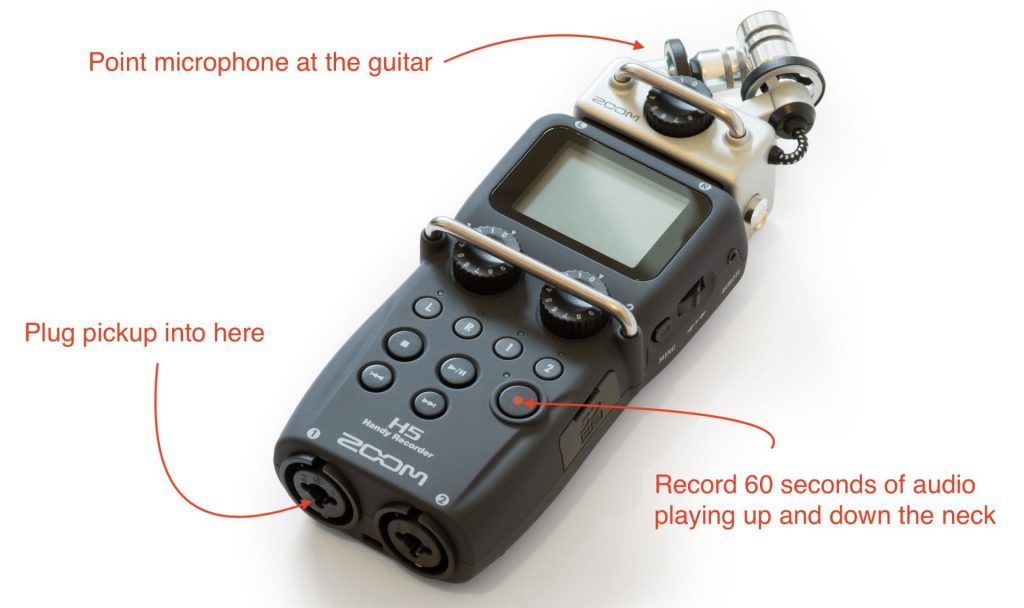
I recommend recording 60 seconds of playing up and down the neck to capture the full range of your instrument: chords, harmonics, single note scales.

The tricky part is the two recordings need to be playing the exact same performance, so you will need a way to record two channels simultaneously. This can be achieved with a 2-channel recording interface, or a multi-track recorder.

Recording with a recording interface into a DAW

If you have a decent recording interface and computer, plug in the pickup to channel 1, and the microphone into channel 2 of the interface.

Record the 60 second sample on both channels simultaneously into a DAW like Garageband or Audacity. Check to make sure the recording levels are roughly equal on each, and sufficiently loud without clipping.

Once you have the recording, the benefit of using a DAW is that you can further EQ or add some additional processing the to the target microphone track to get the tone exactly how you like it. When you’re done, bounce each track to a separate mono wav file.

Recording with a standalone multi-track device

I happen to have a Zoom H5 field recorder, which can record multiple tracks at once, so that worked for me. You can even use the onboard microphone. I plugged in the pickup directly to one of the free channels, recorded both the microphone (pointed at the 12th fret) and the pickup.

After recording the 60 second sample, I pulled the two mono wav files off the SD card and was ready to move to the processing step.

Processing the source files into an IR

This is the really difficult part for non-technical folks, but luckily for you I have noticed how clunky the current solutions are and have developed a simple web tool that makes it much easier.

Vic’s IR Generator

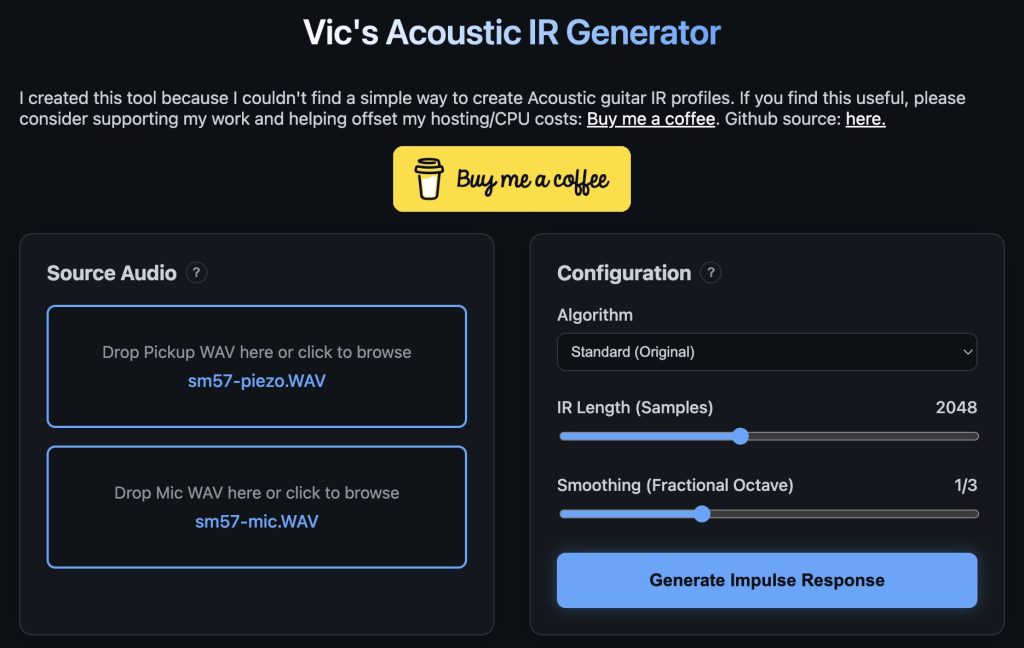
Visit this website: Vic’s IR Generator. Note that this site is hosted on a free tier on Render, so might take a bit to load for the first time (50 seconds or so). Once loaded, it looks like this. Drag and drop your two source wav files into the “Source Audio” section like so:

In the “Configuration” section, you can choose either my vibe-coded algorithm “Standard (Original)” or the gold standard “Cuki’s algorithm” from the dropdown. Probably best to leave the other settings alone for now. Then click “Generate Impulse Response”.

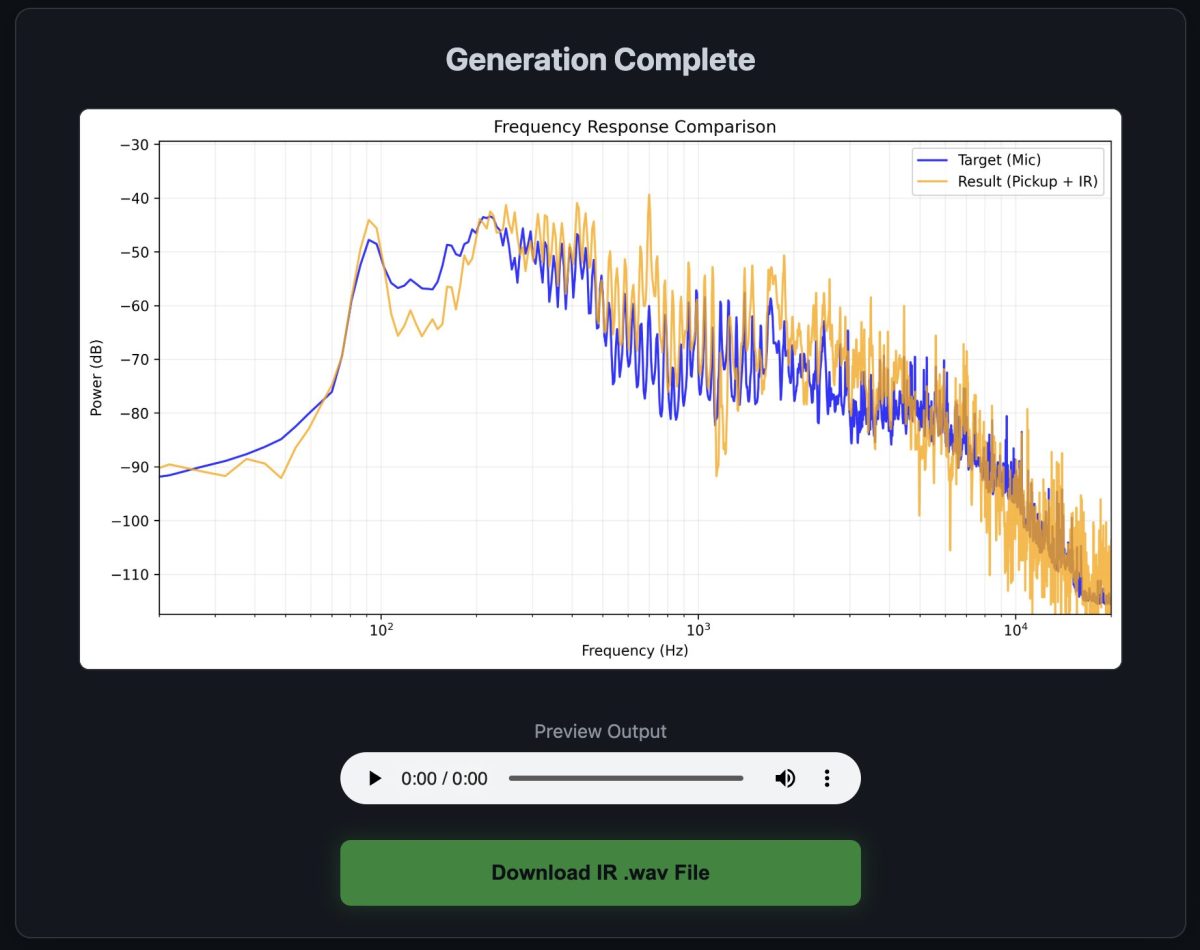
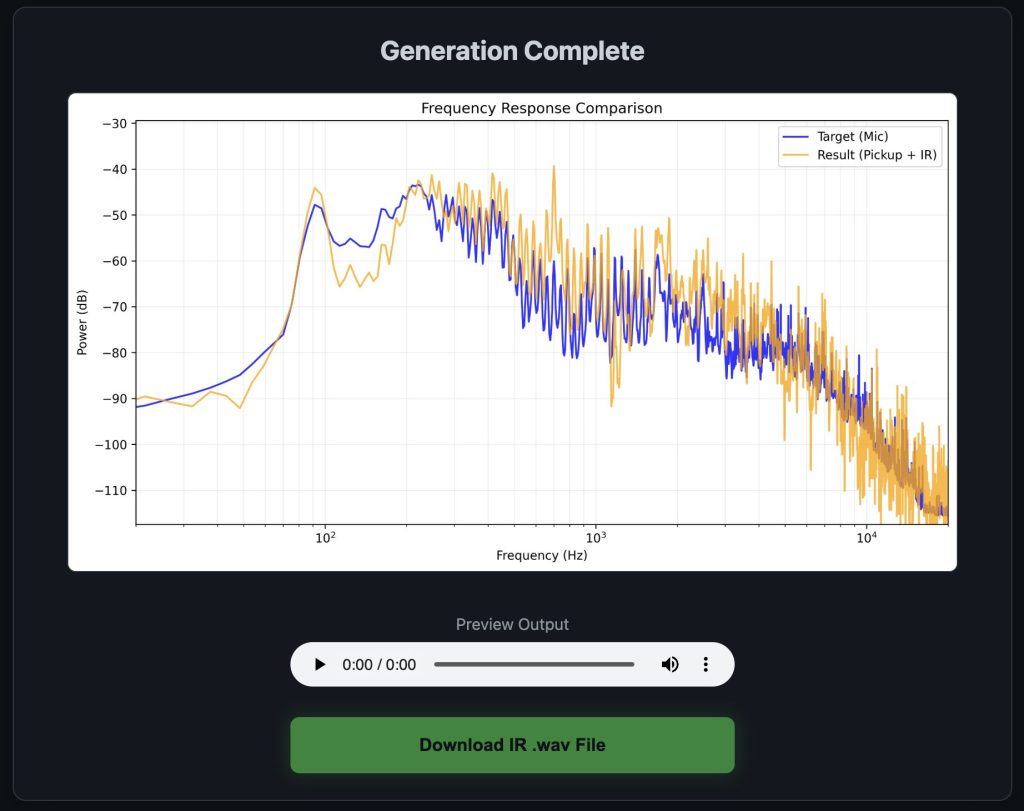
After some time, you’ll get a graph indicating the accuracy of the IR compared to the microphone, and a download link:

The wav file is your IR. It’s sounds like nothing more than a simple “knock” sound, but it includes all the frequency transformation information an IR processor needs to translate the pickup to the microphone sound. Load this file into the IR loader of your choice and give it a spin!

If you don’t like the sound, you can tweak mic placement, mic type (I actually like dynamic mics better), and some EQ in the DAW before sending it to the IR processing tool. Note that “accurate” does not necessarily equate to “sounds good”. Experiment!

Digitally modeling a Gibson EH-125 amp for Charlie Christian tones

A while back I wrote an article about using Impulse Response (IR) technology to model the sound to a microphone on an acoustic guitar and got pretty good results. What I didn’t mention is that same tech is more commonly used to model amps.

To be honest, I never cared much for that scene, since it seems to be catered more to metal and rock guitar sounds. Since I’m really into 30s and 40s music, the amp tones I’m interested in are more that of Charlie Christian, Barney Kessel, and Oscar Moore. They would play through octal tube amps of the era like the Gibson EH-150 and EH-185 that had a really nice, “wooly” break up to them when digging in. Unfortunately, my lot is pretty niche, and there aren’t any pre-made models of those amps. So I thought I’d finally try modeling one myself.

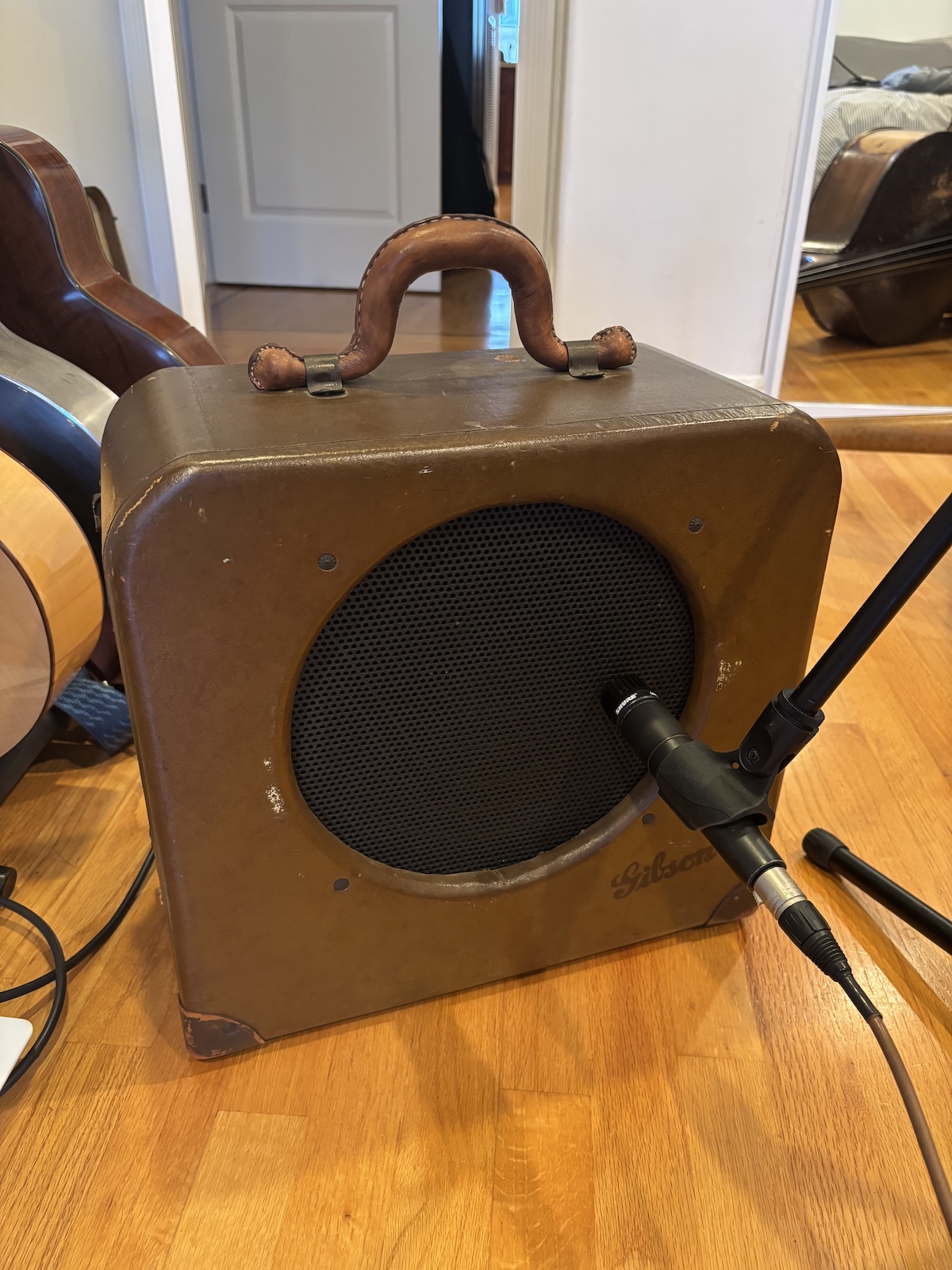
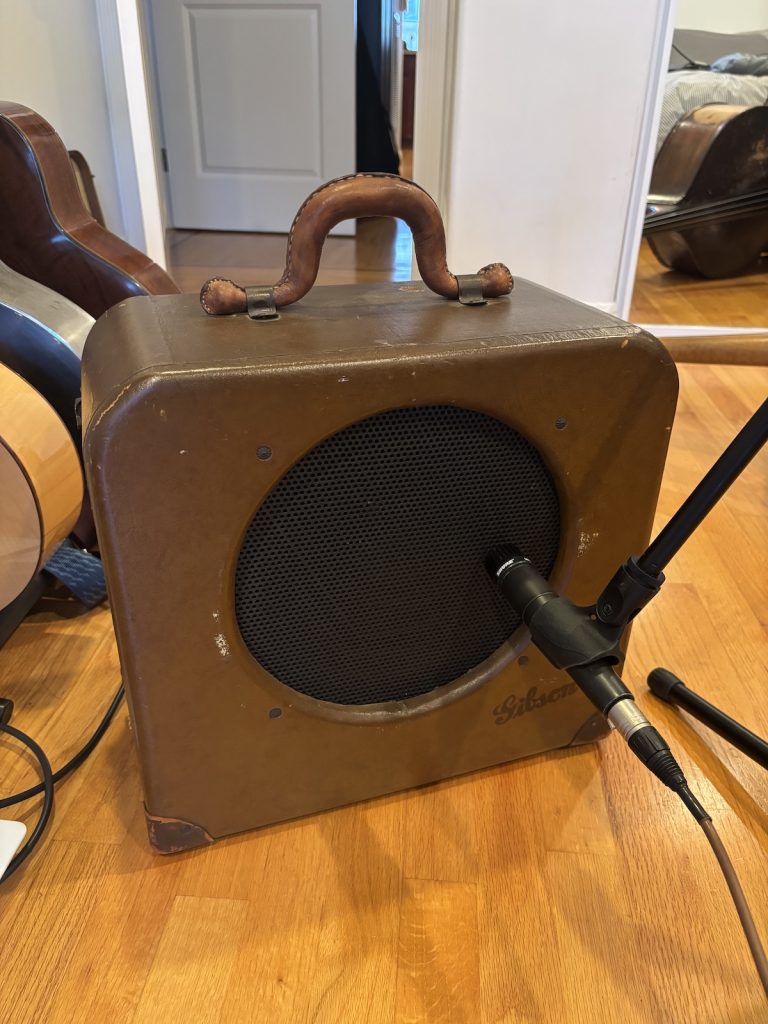
I don’t have an EH-150/185, but I do happen to have an EH-125 which is a little brother of those amps. So that’s the one I used:

Neural Amp Modeler

The open source project: Neural Amp Modeler has been around for a while now, and seems to have matured greatly over the past couple of years. Best of all, it’s free. You can use it as a standalone app or recording software (DAW) plugin to load models and play guitar through them. There is also a very well made companion site Tone3000 that allows folks to share their own amp models for free download. If it’s a common amp, chances are someone already made a profile for it which saves you a bunch of time trying to do it yourself.

There are good tutorials on how to set up a DAW rig to model an amp, but the gist is:

  • Download a 3-minute long source audio file that sweeps through a bunch of sound frequencies
  • Play back that audio file through the amp that you hope to model
  • Record your amp playing the file with a microphone
  • Upload both the source file and your recorded file to a neural processing program to generate a profile for the amp with some fancy math

Results

Here are the results with me playing some aimless Charlie Christianish noodling. The same audio file is running through the amp model, and the original amp with a Shure SM57 microphone on it, so there is no variance in the performance.

Actual Gibson EH-125 mic’ed with an SM57:

My “virtual” Gibson EH-125 model, completely digitally recorded using the NAM plugin:

Pretty close! I think the tone is a really good match. But the original does have more of the crunchy wooly sound in the first half with the chordal stuff that seems to have been lost in translation. Not sure how I could make that more accurate. Maybe if I turned up the amp volume or input gain a bit more during the modeling process, it would capture more of the tone. But in some ways I prefer a little less crunch, too.

I found that I really had to push the input volume to get it to break up in a manner similar to the actual amp. But the interesting thing is: I was able to tweak the input gain and EQ after I recorded it to get closer to the break up sound I wanted. Not the case with the real amp. You’re stuck with the input level and resulting distortion you got during recording.

Here’s me playing a full chorus of Rose Room using the NAM model, with me isolating Charlie Christian’s track and trying to match the tone exactly (I found that the treble had to be turned almost all the way up and the bass to about 75% to get in the ballpark).

Use cases

The most obvious use case of this model to me is that I can use it for home recording without pulling my amps out of the closet and mic’ing them up. I can do some late night recording sessions without waking anyone up.

If I went and purchased some kind of pedal that can load NAM profiles, I could load this model into them and use it for live performance. I could see a situation where I’d just run directly into a board in situations where using an amp is not practical.

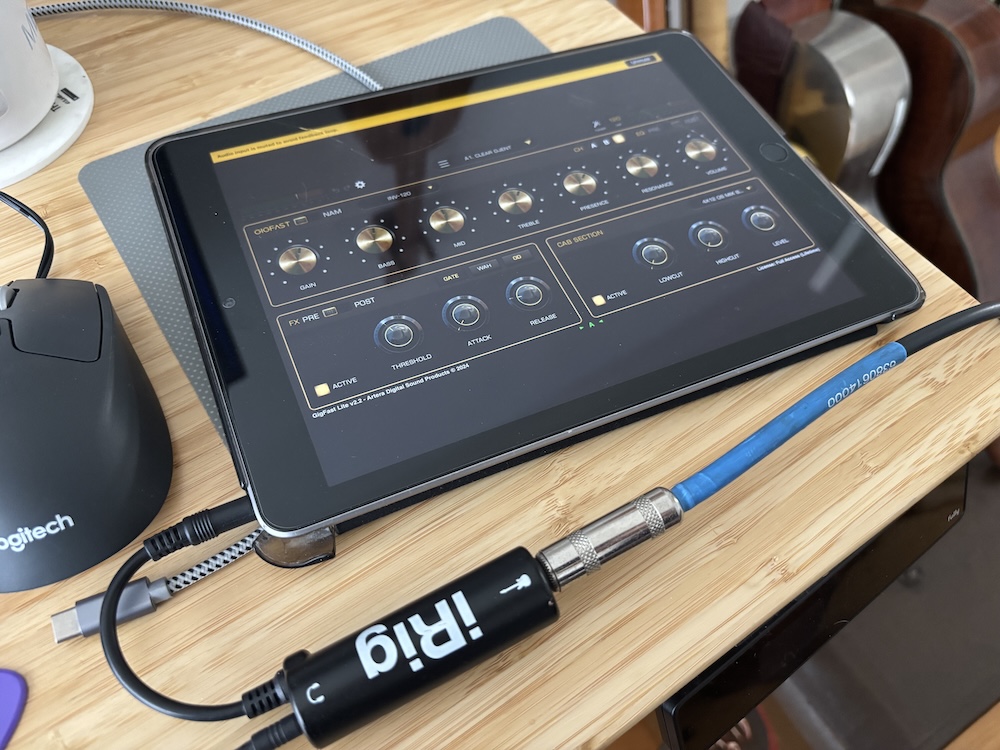
Update: I found that the Gigfast Lite iOS app loads custom NAM profiles. I paired it with one of these very cheap headphone jack guitar input adapters and it works great. It has very low latency and is very flexible, with a very nice spring reverb and tape delay effects. Don’t see the need for more hardware, given I already have my iPad at most gigs.

iPad running GigfastLite with an iRig interface. Headphone out into a PA works great. Charlie Christian tone on the go!

Download my EH-125 NAM profiles

You can download my models at Tone3000 here: https://www.tone3000.com/tones/gibson-eh-125-amp-1940s-32994

I’d love to model some more relatively obscure amps of the 40s, so if you live near me in San Francisco and want to lend me an EH-150 or EH-185 for an afternoon I’d be thrilled to capture them as well.

Update! Since writing this post, I added a capture of the EH-185 and someone added a great capture of an EH-150!:

Note: I am well aware of and have used the Jr. Barnyard and the JJ-150 pedals. They are fine, but I always wondered if I could get closer to the sound using free software. And the convenience of being able to record direct using plugins is appealing.

Can you “Break in” an acoustic guitar… with a bluetooth speaker?

Please note: This DIY project is not affiliated with or endorsed by Tone Traveler or DrHerringbone

The Algorithm has been serving me a lot of ads for a product! Well that’s nothing new, but in this case, it’s a device that claims to break-in your guitar and improve its “tone” without going through the often grueling and non-rewarding process of actually playing it. That sure sounds good to me, but it retails for an eyebrow-raising $289, and they even offer a product that is literally called snake oil, if you can believe that.

Like all guitarists, I’m not immune to snake oil, especially if my “tone” (whatever that means) is involved, so I got very curious. Here’s a picture of this thing, and the ad that is now burned into my soul:

Clear you schedule NOW. Your tone depends on it.

Of course, let’s not forget a lot of other things are going on during those years of guitar ownership: it’s hopefully getting played a lot, the wood is aging, stretching/contracting, and if it’s in a heated Queens apartment in the winter, probably dehumidifying and cracking up into a pile of firewood. The question is: can you really expedite all that with a few hours with some magic technology?

It’s probably true that playing a guitar for many years changes its sonic characteristics. My hand-wavy scientific explanation would probably include smart-sounding stuff like “the resonant vibrations of the sound is shaking up the cells in the wood, making the instrument more supple and rich,” and so forth.

So what exactly is this thing?

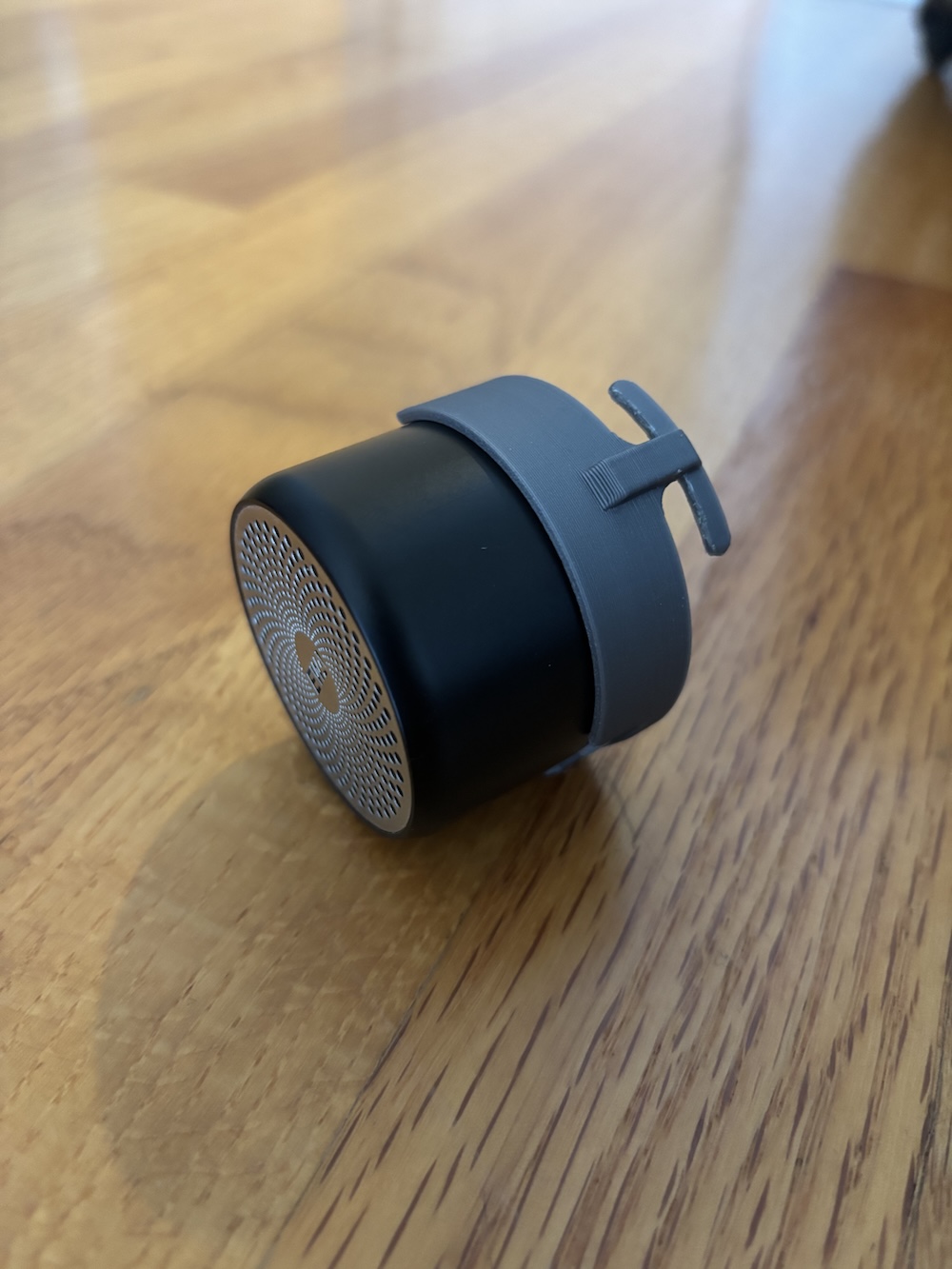
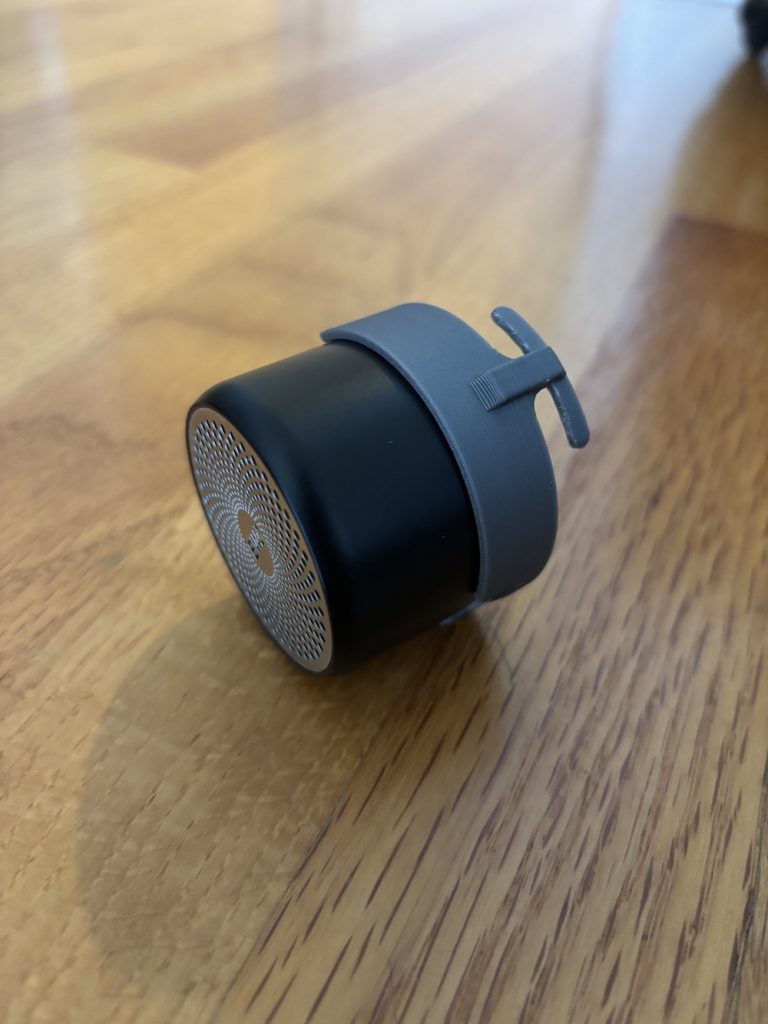
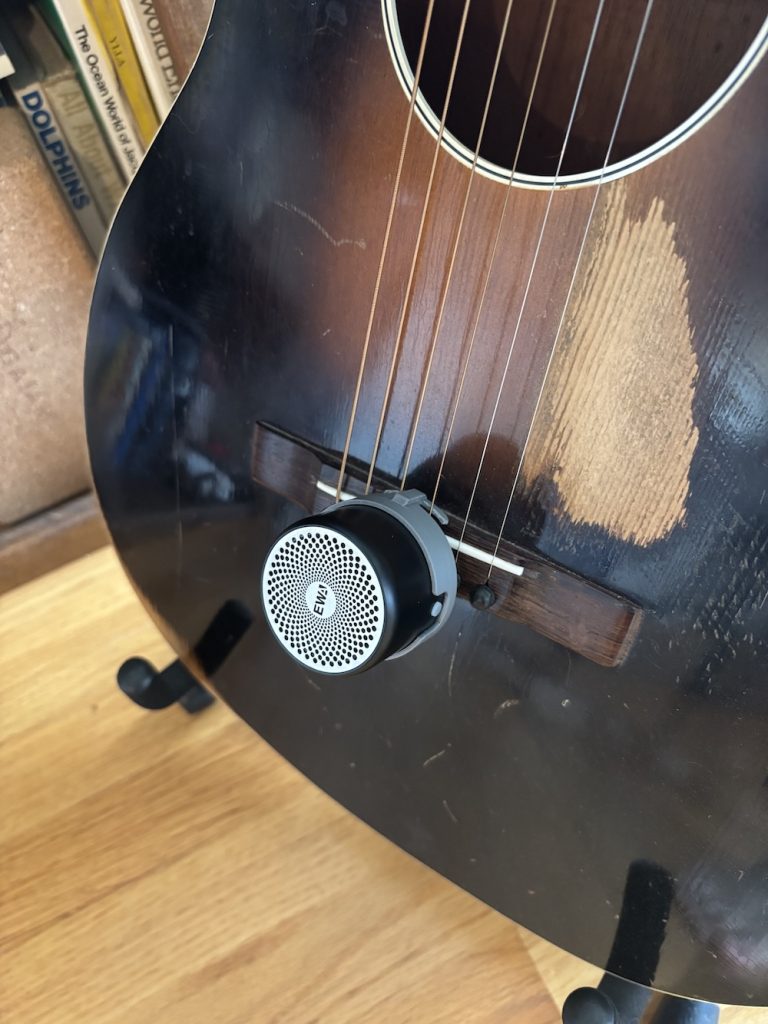
The device in question clips to the bridge of the guitar and emits sounds which will in turn vibrate the guitar. Now I’ve seen a bluetooth speaker before and this thing sure looks like just that. In fact, judging from the logo, it’s probably this one: EWA 106 on Amazon, which can be had for under $20.

There is the matter of hanging it from the bridge of a guitar, but a thick rubberband that I extracted from a head of broccoli and a bent paperclip did the trick. But if you’re a handy, childless person like myself maybe you’d go to the lengths of 3d-modeling a mount that slides right on this particular speaker, like so:

Here’s a link to that 3d model on printables if you want to print it yourself:

https://www.printables.com/model/1345295-guitar-bridge-mount-for-ewa106-bluetooth-speaker

Tone generation

There’s also the tone generation. It also comes with a tablet device and a pre-loaded app, which I assume is paired with the speaker out of the box. The app shows a GUI where you can select individual strings of the guitar to generate those notes.

Well, I’ve also seen a tone generator before, and there are plenty of apps that can do this, but the trick is to find one that can do multiple tones at once. This one: NCH Tone Generator seemed to work fine and was free and available for all platforms.

But in case you don’t need more apps in your life, you can also just find a web-browser based tone generator. Here’s one I found that is nice and configurable, I even pre-loaded the URL with all the frequencies of the 6 strings of a guitar, Online Tone Generator. Just click the on/off button next to each tone to get some creamy sine wave robo-guitar. You can look up the frequencies of specific notes and create another set of tones if you try this on your, say, banjo… but please check your local banjo amplification ordinances before proceeding.

Finally, you can also just download the following mp3 file that I created and play it on loop on the device.

The idea here is you’ll bluetooth pair the speaker to a spare phone, tablet, or laptop. Surely you’ve got a drawer with 3 generations of planned-obsolete devices somewhere. Then open one of these tone generators and let it go for a bunch of hours.

The test

The idea of “tone” is so subjective and non-scientific that I’m not sure that recording me playing a guitar before and after this vibration-bath would yield any tangible result. It’s also impossible to ensure that I’d play the exact same way with the exact same volume and mic placement.

That, and maybe I don’t want to obsess over what 30 second snippet I would play that is both demonstrative and sufficiently impressive in case anyone reading is thinking “can this internet guy actually play?”

But here’s one of those sorts of tests if you want to check it out. I skipped to the section where he does the before/after recordings: Jacob Schuler on YouTube.

The folks behind this product devised an experiment where they mic’ed a guitar and ran the device on it for 4 hours, observing a whopping 10b increase in volume over the course of that time period. That seems like as good a test as any to me.

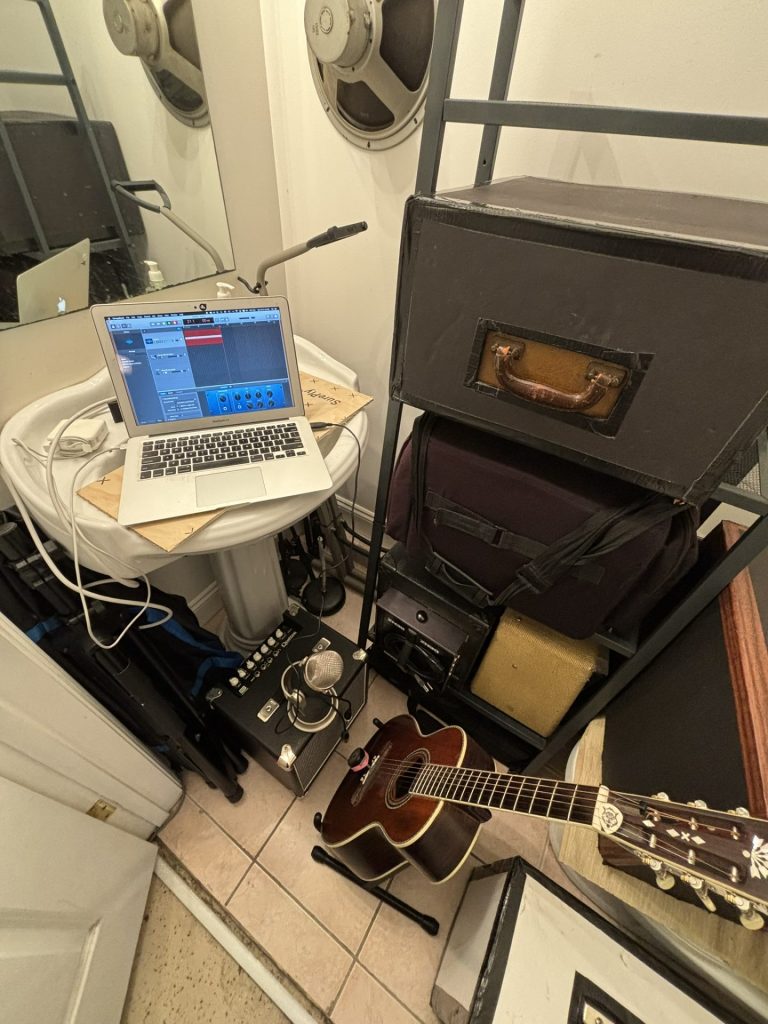
Here is my test rig:

The guitar is a newish washburn parlor guitar from 2008 that I never got too into playing. It sounds nice, but not compared to my vintage instruments. So I thought it would be a good test guitar.

Over the course of the experiment, I would record a short snippet of the guitar and compare the amplitude and visuals sound wave during each of sample time.

Results

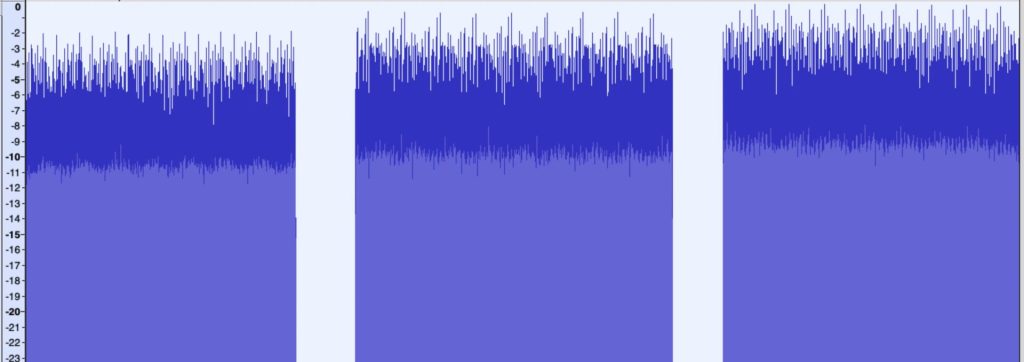
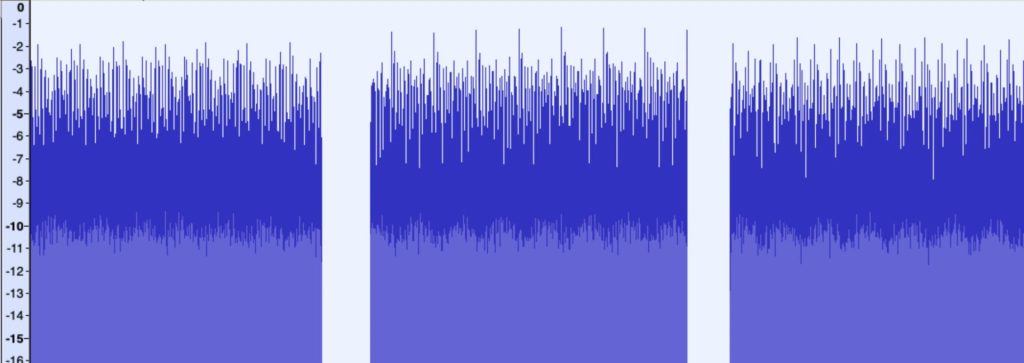
Here are the waveforms from the guitar with the “poor man’s tone improver” from the microphone recorded into GarageBand at various intervals in the test:

Test 1: 0 hours, 3 hours, and 11 hours

Test 2: 0 hours, 3 hours, and 8 hours

As you can see in Test 1 there is a visible 2db volume increase the peaks of the wave.

In test 2, there is no significant volume change. Perhaps half a decibel if I squint just right. The dynamic range seems to have increased though, as the distance between the peaks and valleys is higher on the later samples.

Enough “science” what about the “vibe test”?

Playing the guitar, it does feel a bit richer in overtones. Perhaps a bit louder too. But I really think these things are so subjective and can’t say for certain if its anything I can quantify or if it’s just my imagination. Honestly, I think we hear what we want to hear. If I dropped almost $300 on this thing maybe I’d want to hear lots of things.

While I believe my methods are scientifically precise, there is a lot to be said for recording actual music before and after and not just drone tones. I’ll give that experiment a shot when I find the time, but I’ve been too busy… well… actually playing music on my guitar.

Since doing this experiment over a year ago, I have not been compelled to repeat it on any other instruments. In fact I only thought to finally publish this article because someone asked me about it. I imagine if you’re anything like me, the same would happen to you: you’d mess around with it for a week and then would gather dust. The difference is that if you actually bought one, your wallet would be a lot lighter.

Nux Optima Air: Piezo pickups can actually sound like microphones

My violinist pal Benito Cortez has been showing up to gigs with an Audio Sprockets ToneDexter pedal for years and touting the benefits of impulse response (IR) processing to make lifeless acoustic instrument pickups sound like microphones. While his results sounded good, I always thought the whole rig looked too complicated and expensive. The ToneDexter retails for $449 new.

But lately I’ve been experimenting with making my own DIY piezo pickups and trying to find ways to make them sound better, which is exactly what these things claim to do. And it so happens that more of these IR pedals have been hitting the market from different manufacturers including Fishman and L.R. Baggs, which are comparable in pricepoint to the ToneDexter. But a very affordable one also entered the scene: The Nux Optima Air, which is only $179 new. I had to try it.

So how do they work? You attach a microphone to the pedal as well as your piezo pickup. Then you record a 10-second sample strumming chords up and down the neck. This records two samples of the same audio source, one from the pickup and one from the microphone. A frequency profile is generated for each sample and some fancy math figures out how to transform any signal coming from the piezo to match the sound of the microphone’s frequency profile. That’s about it — save your profile and you’re ready to go.

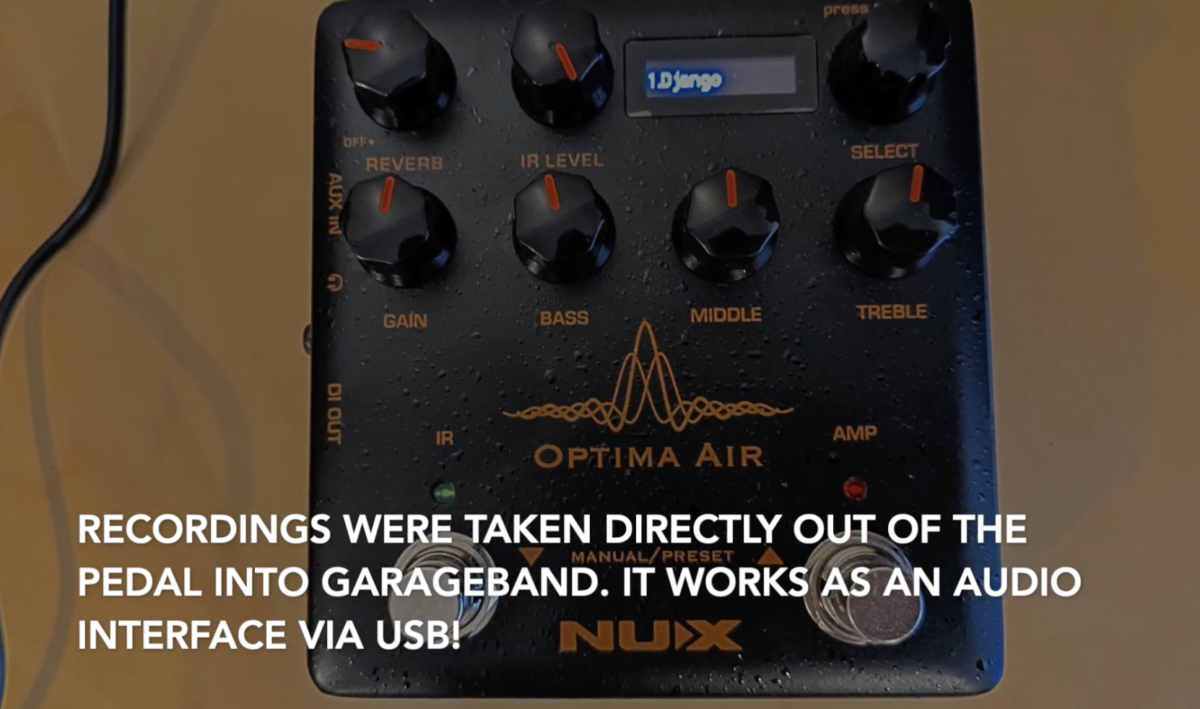
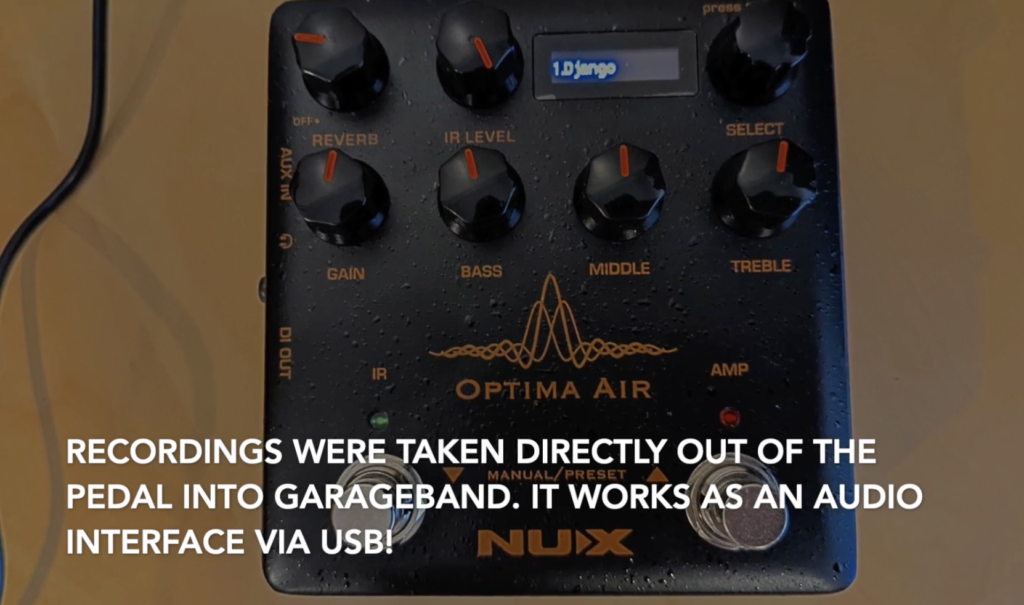
The Nux Optima Air has a USB port that acts as an audio interface so it was simple to record the output of it direct into GarageBand to hear the difference. Most demos I’ve seen are of folks strumming open chords, and my interest is more in using Django Reinhardt-style jazz and acoustic archtop playing.

First I recorded a tune* with the IR switch off:

Straight piezo – two tickets to Duckville

Then I activated the IR effect switch on the pedal:

Nux Optima Air – entering the acoustic tonezone

In short, it actually works. I honestly could have been fooled. The IR effect sounds like a mic’ed guitar to me. There’s none of that piezo “quack”. There’s a fuller warmer sound, with natural sounding harmonics ringing throughout.

There’s a bunch of presets that come with the pedal, but to be honest I think they’re pretty pointless. First of all, they are modeling folk guitars strummers I’m not really interested in (like Gibson Hummingbird / J45, Taylor 314) and secondly there’s no telling what input source pickup they used, where they placed it, and whether it responds even remotely like mine. I think the true benefits to IR are when you model your own exact rig.

I posted a full video of my experimentation with various settings and guitars here:

You may download my IR files here, but your success may vary depending on your pickup and guitar. It’s best to make your own, specific to your pickup:

https://www.paniquejazz.com/wp-content/uploads/2022/06/IRs.zip

*The tune is “Clouds” by Walter Donaldson played on Craig Bumgarner Selmer-Macaferri style guitar. A homemmade piezo pickup is affixed just behind the bridge on the treble side of the guitar an inch below the high E string. Both samples were recorded from this piezo direct from the pedal. Some light reverb was added in the mix.