As I have covered before, acoustic guitar IRs can greatly improve the sound of a piezo pickup. They work by converting the EQ of the base pickup sound to that of a microphone using some complicated math.
See this video for some before and after samples:
You can load IRs into fancy, expensive pedals like the Tonedexter, Nux Optima Air, and Fishman Aura, but really anything that can load an IRs does the job. There are plenty of cheaper solutions out there, like the TC Electronic Impulse IR Loader pedal or even the Sonicake Pocket Master.
Using another person’s IRs is probably not ideal since their source pickup and guitar is different. To get the best result you need to record your own guitar, pickup, and microphone. The expensive pedals have the inputs and setup features to handle this for you. But if you go with a cheaper pedal, you’ll need to do it yourself. This means you must supply source audio files of your rig and then process them with some tools like Cuki’s IR Generator to output a wav file that you can load to your hardware. It’s not a simple process at all. But hopefully this guide along with some web-based tools I’ve developed will help.
Recording your acoustic rig
The main requirements for generating an IR file are two recordings:
- An audio signal of your acoustic guitar’s pickup
- A recording of your acoustic guitar through a microphone of your choice
I recommend recording 60 seconds of playing up and down the neck to capture the full range of your instrument: chords, harmonics, single note scales.
The tricky part is the two recordings need to be playing the exact same performance, so you will need a way to record two channels simultaneously. This can be achieved with a 2-channel recording interface, or a multi-track recorder.
Recording with a recording interface into a DAW
If you have a decent recording interface and computer, plug in the pickup to channel 1, and the microphone into channel 2 of the interface.
Record the 60 second sample on both channels simultaneously into a DAW like Garageband or Audacity. Check to make sure the recording levels are roughly equal on each, and sufficiently loud without clipping.

Once you have the recording, the benefit of using a DAW is that you can further EQ or add some additional processing the to the target microphone track to get the tone exactly how you like it. When you’re done, when done, bounce each track to a separate mono wav file.
Recording with a standalone multi-track device
I happen to have a Zoom H5 field recorder, which can record multiple tracks at once, so that worked for me. You can even use the onboard microphone. I plugged in the pickup directly to one of the free channels, recorded both the microphone (pointed at the 12th fret) and the pickup.
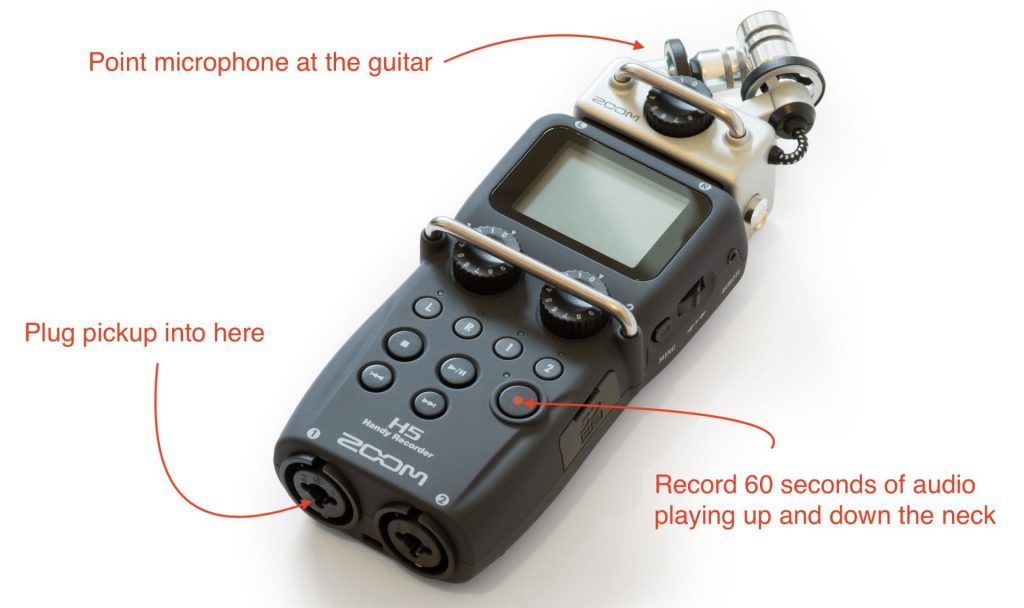
After recording the 60 second sample, I pulled the two mono wav files off the SD card and was ready to move to the processing step.
Processing the source files into an IR
This is the really difficult part for non-technical folks, but luckily for you I have noticed how clunky the current solutions are and have developed a simple web tool that makes it much easier.
Vic’s IR Generator
Visit this website: Vic’s IR Generator. Note that this site is hosted on a free tier on Render, so might take a bit to load for the first time (50 seconds or so). Once loaded, it looks like this. Drag and drop your two source wav files into the “Source Audio” section like so:
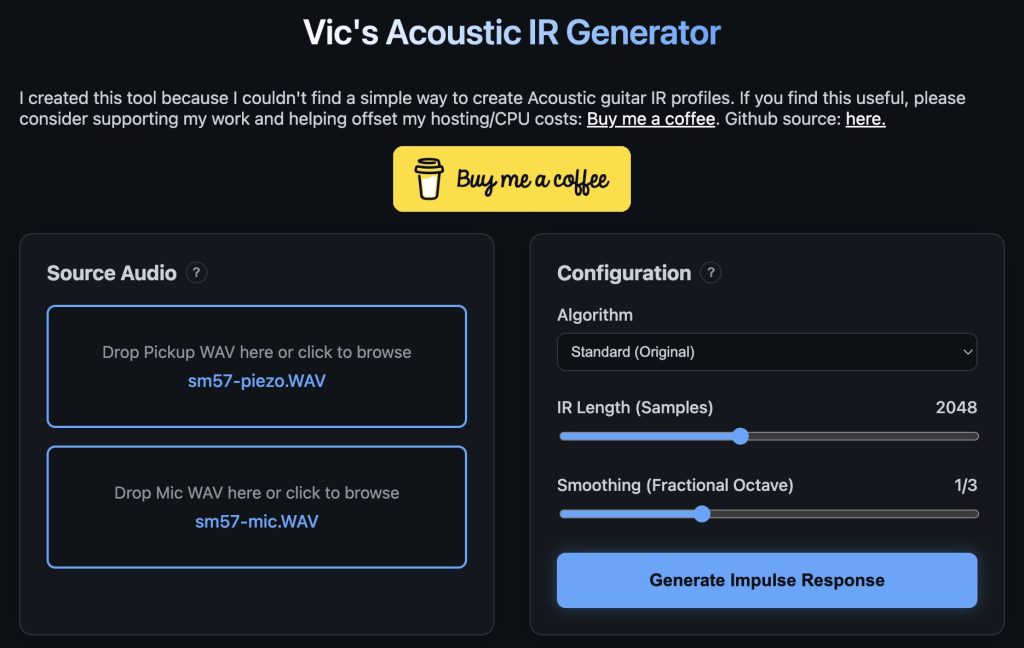
In the “Configuration” section, you can choose either my vibe-coded algorithm “Standard (Original)” or the gold standard “Cuki’s algorithm” from the dropdown. Probably best to leave the other settings alone for now. Then click “Generate Impulse Response”.
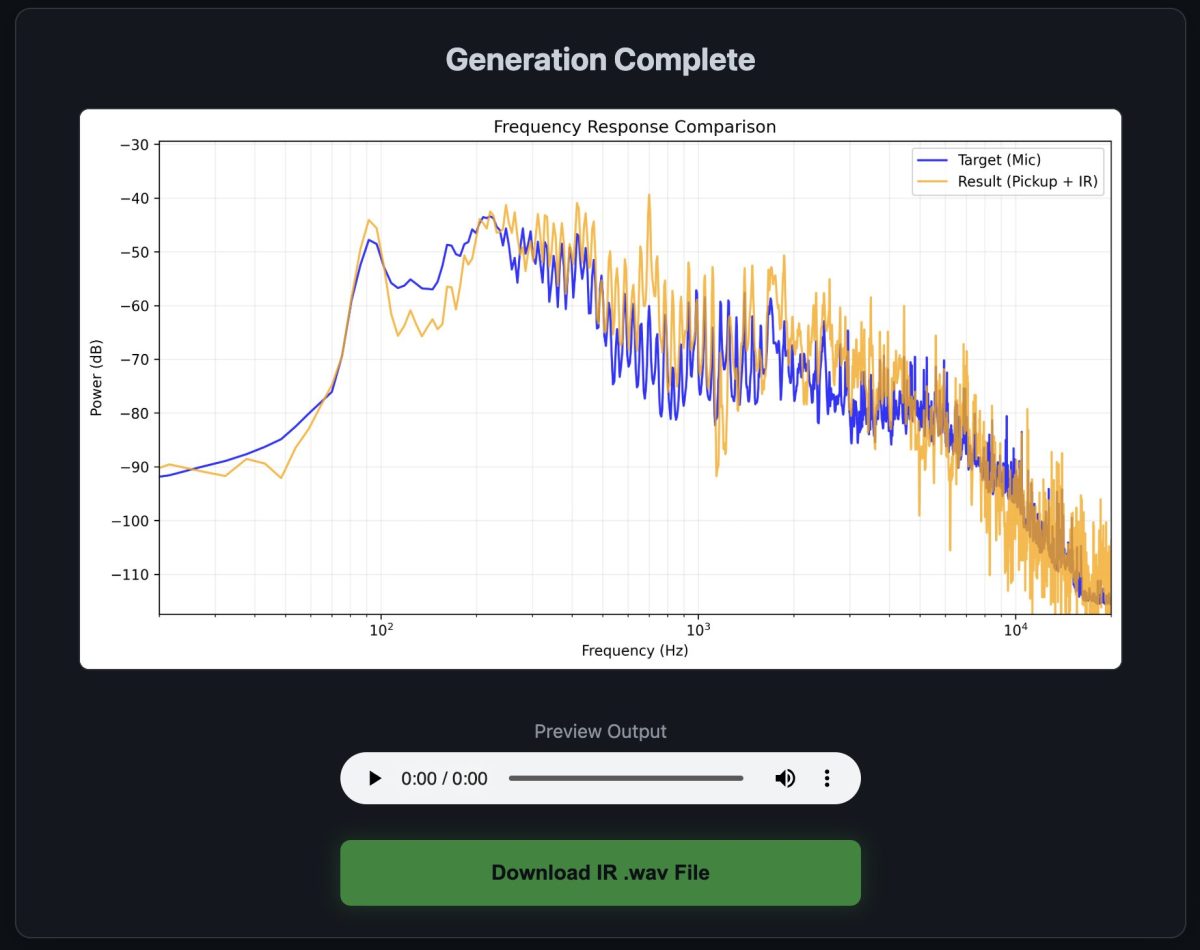
After some time, you’ll get a graph indicating the accuracy of the IR compared to the microphone, and a download link:
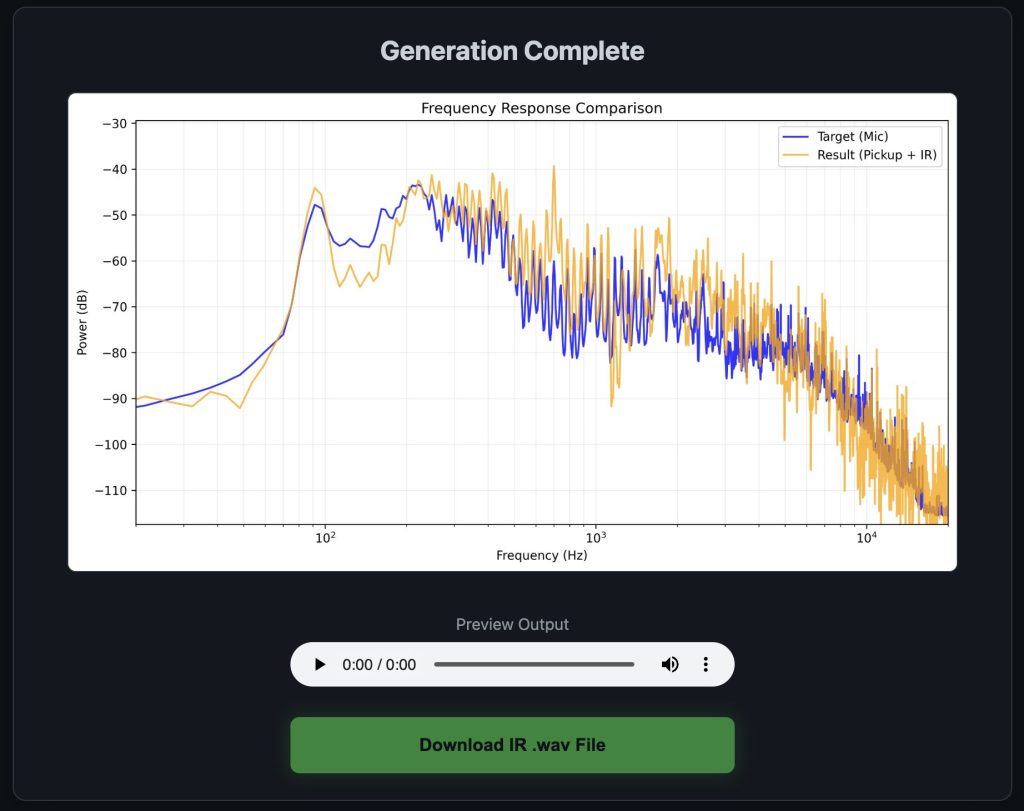
The wav file is your IR. It’s sounds like nothing more than a simple “knock” sound, but it includes all the frequency transformation information an IR processor needs to translate the pickup to the microphone sound. Load this file into the IR loader of your choice and give it a spin!
If you don’t like the sound, you can tweak mic placement, mic type (I actually like dynamic mics better), and some EQ in the DAW before sending it to the IR processing tool. Note that “accurate” does not necessarily equate to “sounds good”. Experiment!